
TipLedger
Early accessUS, UK and EuropePro tool
Log tips, hours and tip outs in seconds and see your real hourly pay.
Early access. The app works in your browser today; the Android app follows when enough people ask for it.
Log tips, hours and tip outs in seconds and see your real hourly pay.
Early access. The app works in your browser today; the Android app follows when enough people ask for it.
TipLedger shows what every shift really paid. Type the hours, your cash and card tips, the tip out and your wage, and the app works out your real hourly before you even save. Weeks, months, best days and a goal fill in from there. No account, and it works offline.
How it works
Real screens from the app, filled with example data.
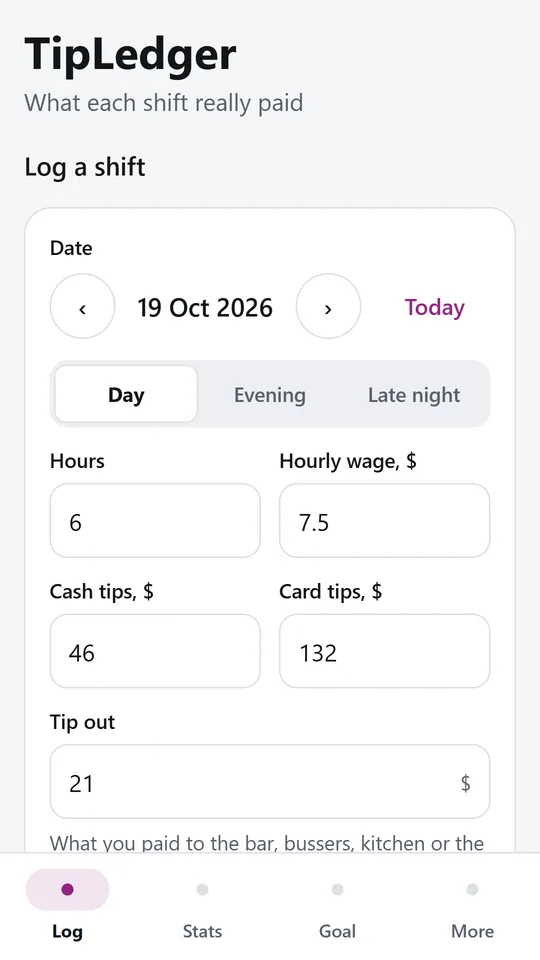
Type the hours, cash tips, card tips and tip out. Your usual wage and hours fill in from last time. In the example, 6 h with $46 cash, $132 on card and $21 tip out.
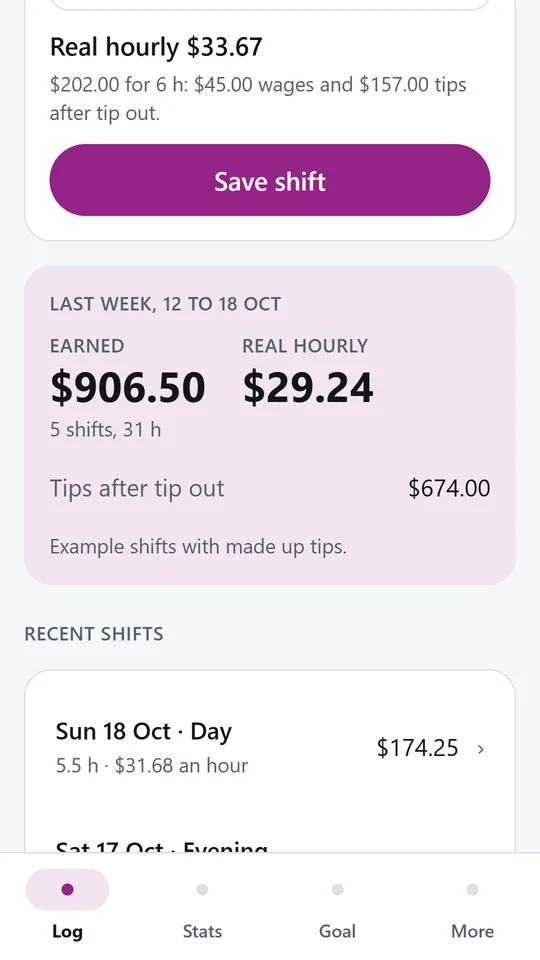
The app shows what the shift really paid per hour as you type, then adds it to the week. In the example, last week came to $906.50 at a real hourly of $29.24.
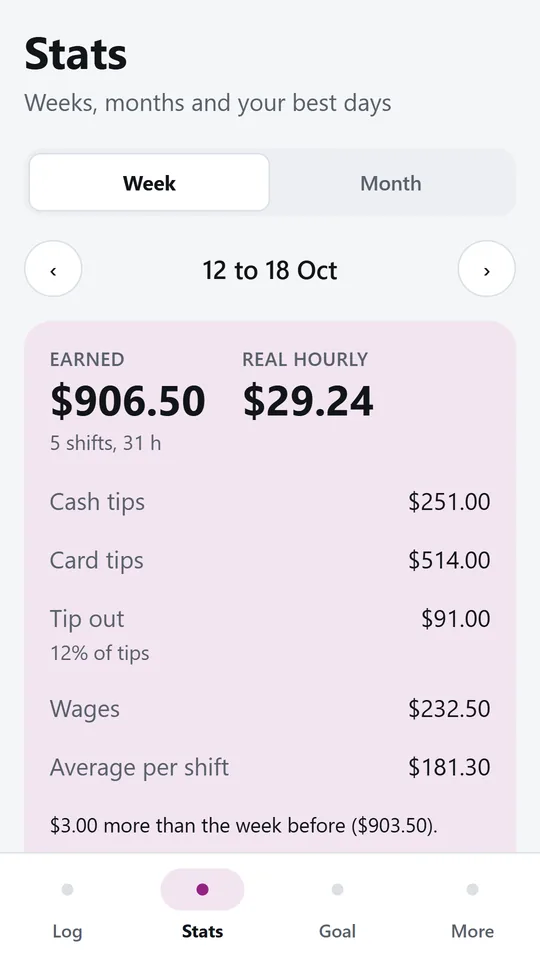
Each period shows cash and card tips, tip out and its share of your tips, wages and the average per shift, plus how it compares with the period before. In the example, tip out was 12% of tips.
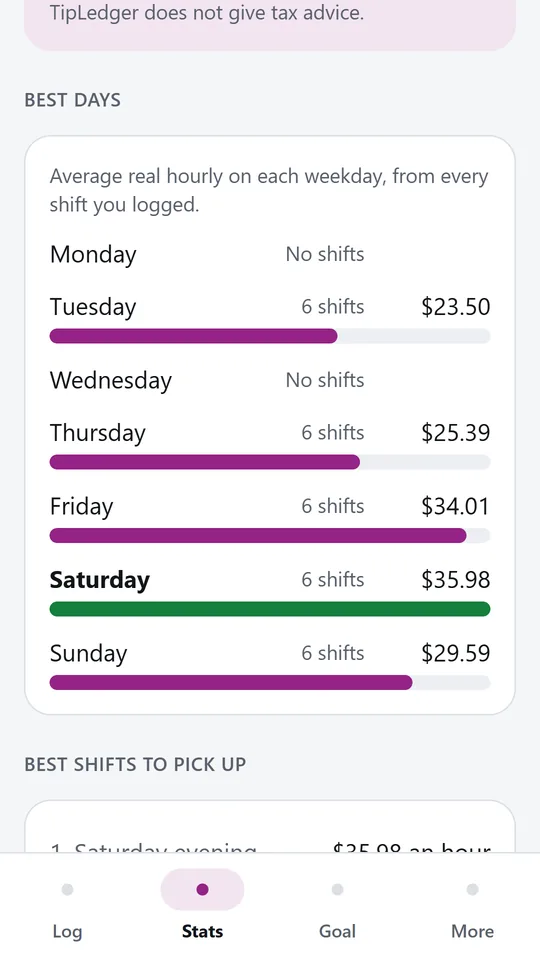
Every weekday gets its average real hourly from the shifts you logged, with a bar to compare at a glance. In the example, Saturday leads at $35.98 an hour.
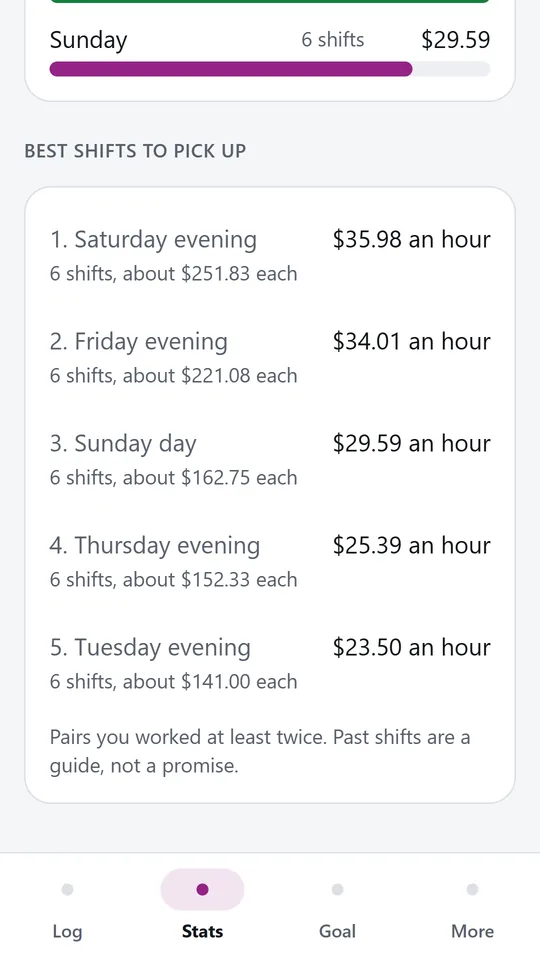
Weekday and time of day pairs you worked at least twice are ranked by real hourly. In the example, Friday evening comes second at $34.01 an hour, about $221.08 a shift.
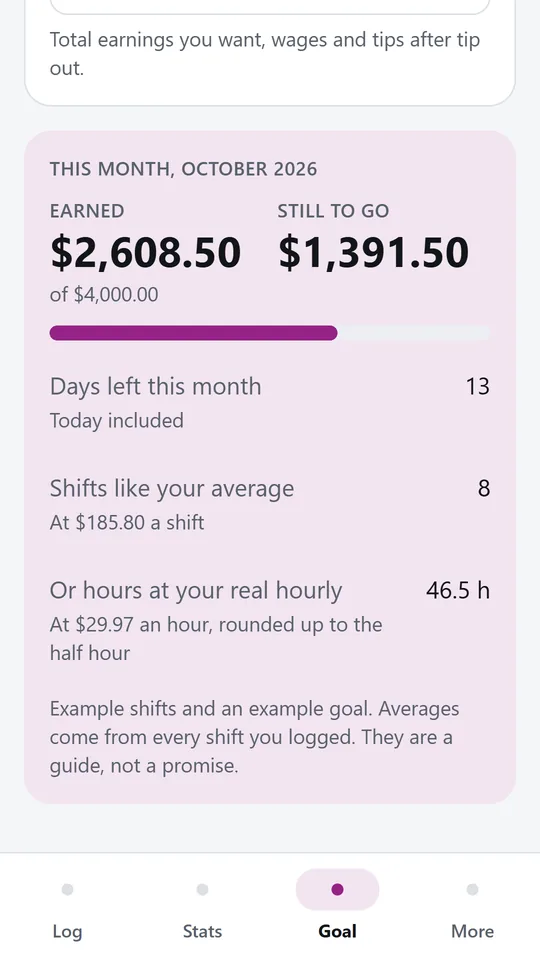
Set a target and see what is left, the days remaining and how many shifts like your average it takes. In the example, $1,391.50 is still to go, about 8 shifts.
Try it now
This is the real app running in your browser, with nothing to install. Tap around, type your own numbers and see what you get. What you enter stays in this browser.
Reminders work only in the phone app.
What it does
The form remembers your usual hours, wage and time of day, so most nights you only type the tips and the tip out. The real hourly and the take home amount show as you type.
Real hourly is your wage for the hours plus your tips after tip out, divided by the hours you worked. Weeks and months use total earnings over total hours, so a long slow shift is weighed fairly.
Step back through past weeks and months to see cash tips, card tips, tip out and its share of your tips, wages, the average per shift and how the period compares with the one before.
See which weekdays pay best per hour, and which weekday and time of day pairs are worth picking up, based only on the shifts you logged.
Set a weekly or monthly target. TipLedger shows how far you are, the days left and roughly how many more shifts or hours that takes at your own average.
Every shift stays on your phone. Nothing is sent anywhere.
Made around one job, not a big business suite.
Use it on site, in the shop or on the road.
Everything stays on your device. No account.
Contact
TipLedger is in early access: the browser demo works today and the phone app follows when enough people ask for it. Tell us how you would use it and we will invite you first.
No newsletter and no selling of your details. Read how we handle messages in the contact privacy note.