
StockTake
Early accessWorldwidePro tool
Stock counts, low stock alerts, stock value and CSV or PDF reports, offline.
Early access. The app works in your browser today; the Android app follows when enough people ask for it.
Stock counts, low stock alerts, stock value and CSV or PDF reports, offline.
Early access. The app works in your browser today; the Android app follows when enough people ask for it.
StockTake is a simple stock list for one owner. Add what you keep, tap plus or minus as things sell or arrive, and see what is running low, what your stock is worth and what to order. Setup takes a minute, it works offline and there is no account.
How it works
Real screens from the app, filled with example data.
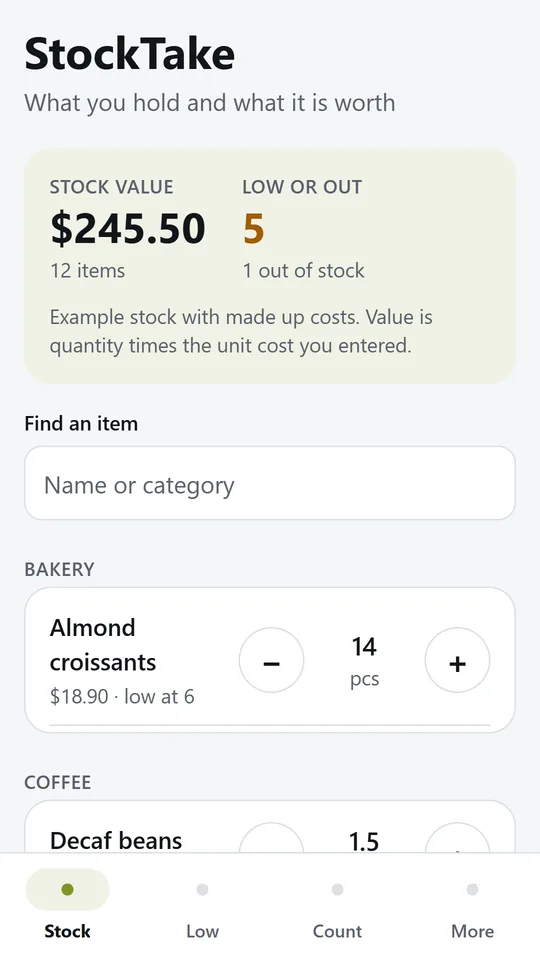
The total value of everything you hold sits on top, with how many items are low or out. In the example, a coffee cart holds 12 items worth $245.50 and 5 are low or out.
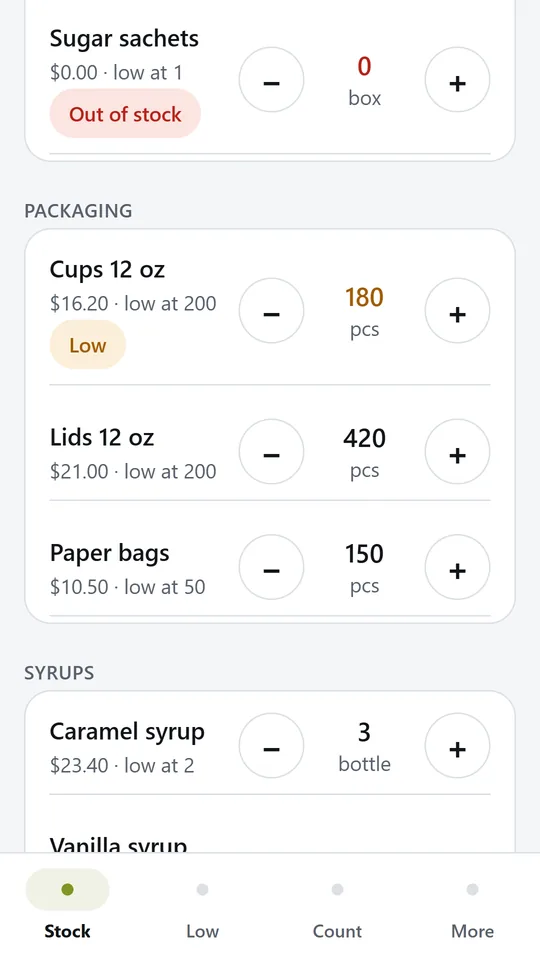
Each item has its own step, so one tap can be a box, a sleeve of cups or half a kilo. Low and empty items are marked in colour. In the example, cups are low at 180 pcs.
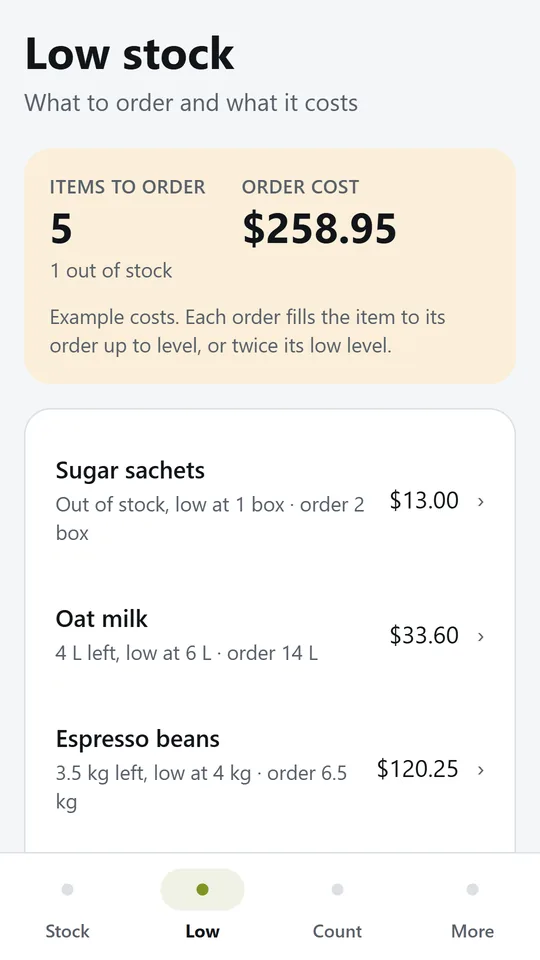
Low items list a suggested order that fills them back up, with what it costs. Copy the list for your supplier or make it a PDF. In the example, 5 items cost $258.95 to reorder.
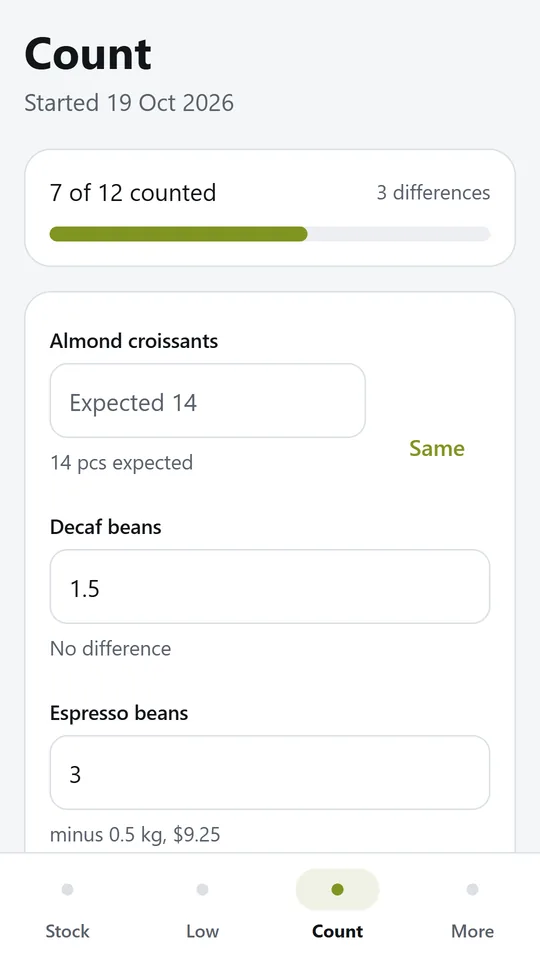
Start a count and type what you find. Each item shows what was expected and the difference as you type. In the example, 7 of 12 items are counted so far.
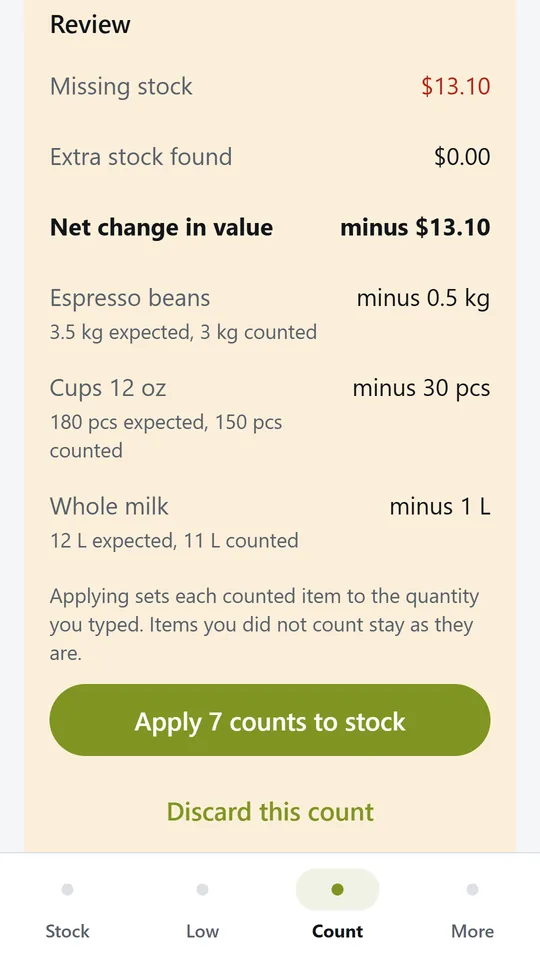
See the value of missing and extra stock and the biggest differences, then apply the counts in one tap. In the example, $13.10 of stock is missing, mostly espresso beans.
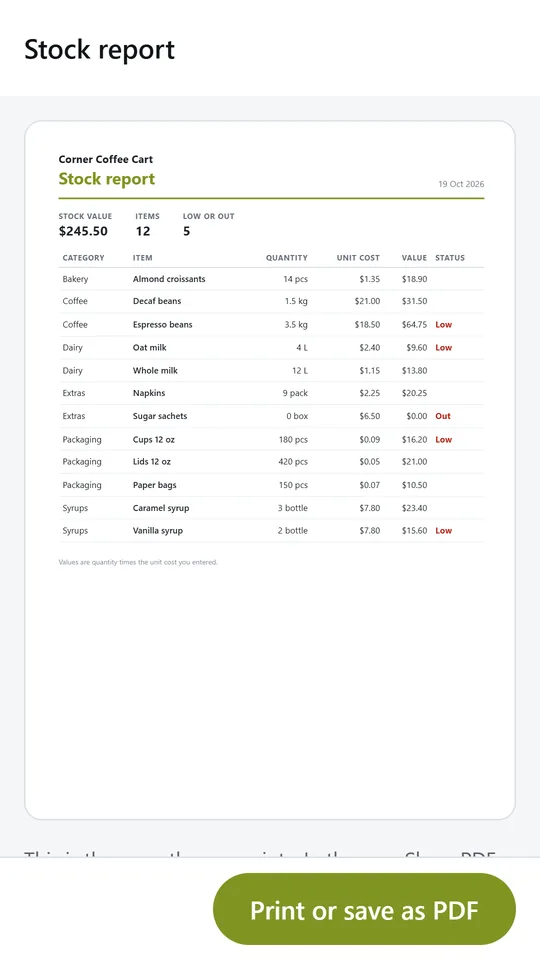
Make a clean report with your business name, every item, its quantity, unit cost and value, ready to print or share. A CSV export is there for spreadsheets too.
Try it now
This is the real app running in your browser, with nothing to install. Tap around, type your own numbers and see what you get. What you enter stays in this browser.
Reminders work only in the phone app.
What it does
Count in pieces, kilos, litres, boxes, bottles or packs. Each item has a quantity, a low level, an optional order up to level and the cost of one unit.
Every item has its own step, so one tap can be 1 box, 50 cups or half a kilo. Stock never goes below zero.
Items at or below their low level show on the Low tab with a suggested order and its cost. Copy the order list straight into a message to your supplier.
Start a count, walk the shelves and type what you find. Before anything changes you see each difference and the value of missing or extra stock, then apply the counts in one tap.
See the value of everything you hold, by item and by category, from the costs you entered.
Export the full list as a CSV file for a spreadsheet, or make a clean stock report or reorder list as a PDF with your business name.
Your stock list stays on your phone. Nothing is sent anywhere unless you share a report yourself.
Made around one job, not a big business suite.
Use it on site, in the shop or on the road.
Everything stays on your device. No account.
Contact
StockTake is in early access: the browser demo works today and the phone app follows when enough people ask for it. Tell us how you would use it and we will invite you first.
No newsletter and no selling of your details. Read how we handle messages in the contact privacy note.