
ShotLog
Early accessWorldwidePro tool
Shot lists, takes, timecode notes and continuity photos for small video crews.
Early access. The app works in your browser today; the Android app follows when enough people ask for it.
Shot lists, takes, timecode notes and continuity photos for small video crews.
Early access. The app works in your browser today; the Android app follows when enough people ask for it.
ShotLog is a phone first shot list for YouTubers, indie filmmakers and small agency crews. Plan the scenes and shots, log every take as good or no good with a timecode note, keep a continuity photo for each shot and export the list as a CSV file for the edit. No account and no sign in.
How it works
Real screens from the app, filled with example data.
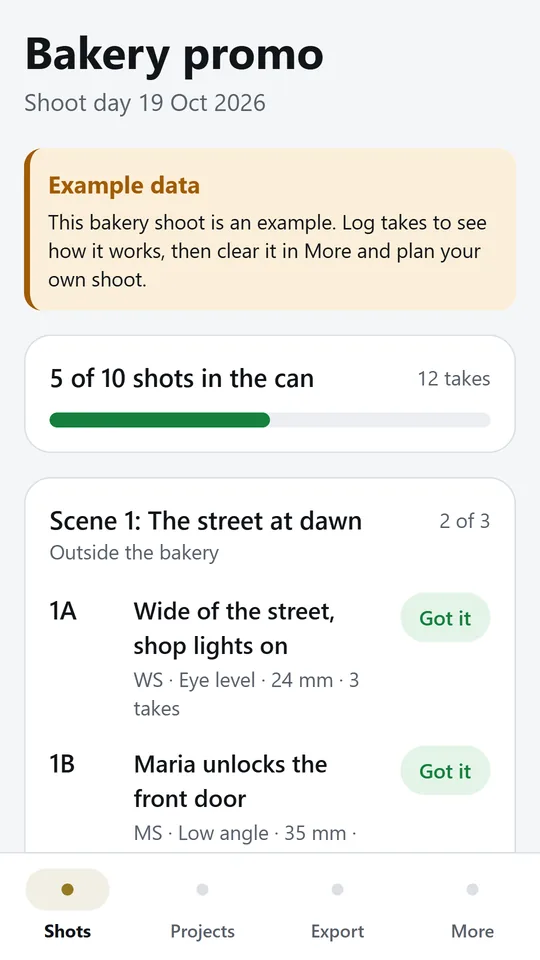
See every scene and shot with its size, angle and lens, and how many are in the can. In the example, 5 of 10 shots already have a good take.
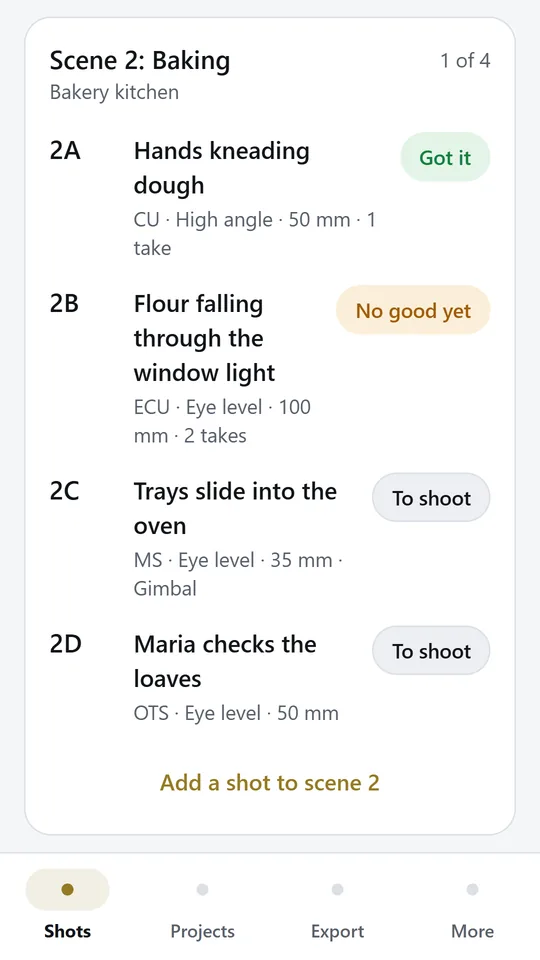
Each shot shows Got it, No good yet or To shoot. Nothing is missed before you move to the next setup.
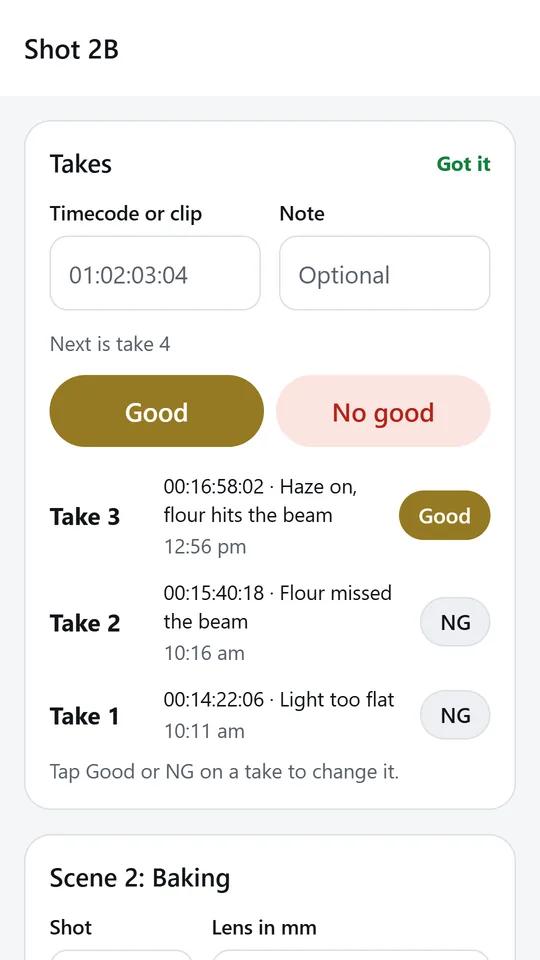
Type the timecode or clip name, then tap Good or No good. In the example, take 3 of shot 2B is good at 00:16:58:02.
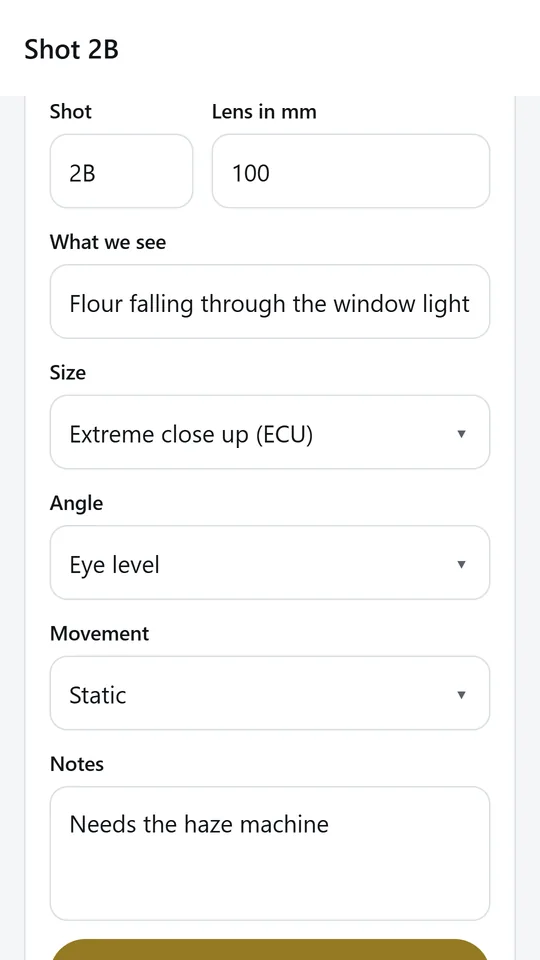
Give every shot a code, a line on what we see, a size, an angle, a camera movement and the lens. Notes keep continuity, props and sound in one place.
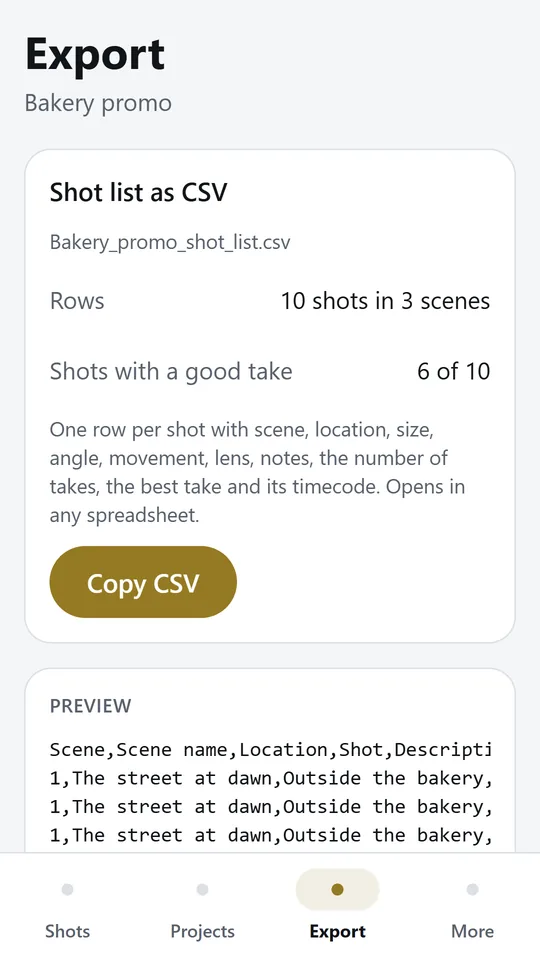
Export a CSV file with one row per shot, the number of takes and the best take with its timecode. It opens in any spreadsheet.
Try it now
This is the real app running in your browser, with nothing to install. Tap around, type your own numbers and see what you get. What you enter stays in this browser.
Reminders work only in the phone app.
What it does
Make a project for each shoot with its shoot day. Add scenes with a number, a name and a location, in the order you will shoot them.
Each shot gets a code such as 2A, a line about what we see, a size from extreme wide to insert, an angle, a camera movement, the lens and notes.
One tap logs the next take as good or no good, with a timecode or clip name and a short note. Change your mind later with a tap.
Every shot shows Got it, No good yet or To shoot, and a bar shows how many shots of the day have a good take.
Add a photo from your library to any shot so the costume, props and set match on the next setup.
Export the whole shot list as a CSV file with one row per shot, the number of takes, the best take and its timecode.
Projects, takes and photos are stored only on this device. Try the example bakery shoot first, then clear it in one tap.
Made around one job, not a big business suite.
Use it on site, in the shop or on the road.
Everything stays on your device. No account.
Contact
ShotLog is in early access: the browser demo works today and the phone app follows when enough people ask for it. Tell us how you would use it and we will invite you first.
No newsletter and no selling of your details. Read how we handle messages in the contact privacy note.