
ShiftLedger
Early accessUS, UK and EuropePro tool
Rotating shift calendar with night, weekend and overtime pay for the month.
Early access. The app works in your browser today; the Android app follows when enough people ask for it.
Rotating shift calendar with night, weekend and overtime pay for the month.
Early access. The app works in your browser today; the Android app follows when enough people ask for it.
ShiftLedger turns your repeating rota into a month calendar and shows what the month should pay. Set the pattern once, add your own pay rules, and see every shift, every premium and the projected total. It works offline and needs no account.
How it works
Real screens from the app, filled with example data.
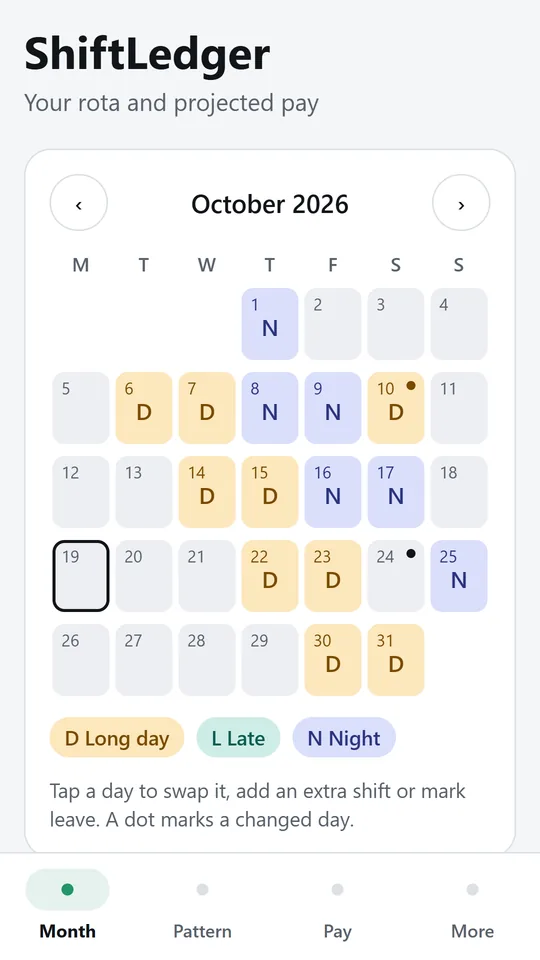
Each day shows its shift code in its own colour and today is outlined. A dot marks a day changed from the pattern. In the example, a nurse works two days, two nights, then four off.
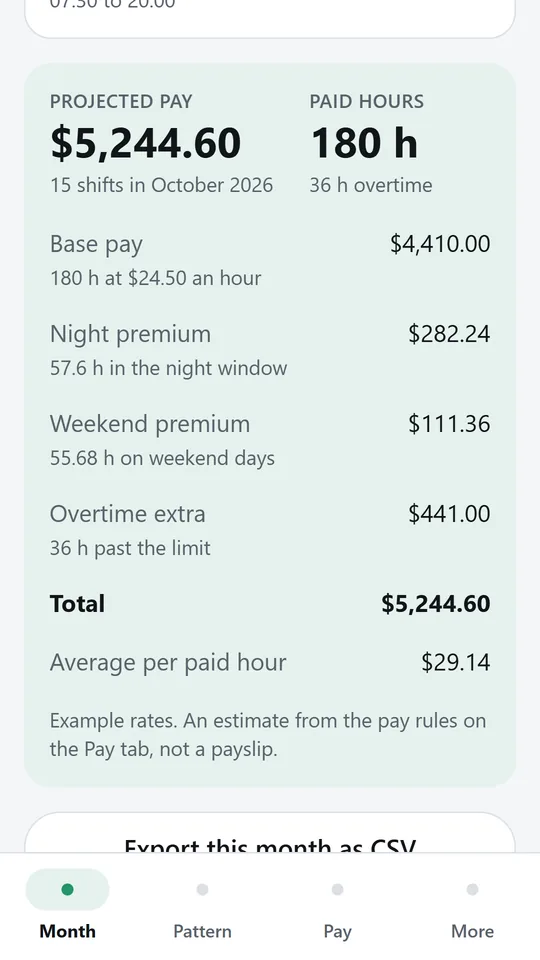
Base pay, night and weekend premiums and overtime add up to a projected total from your own rules. In the example, 15 shifts in October 2026 come to $5,244.60 with 36 h of overtime.
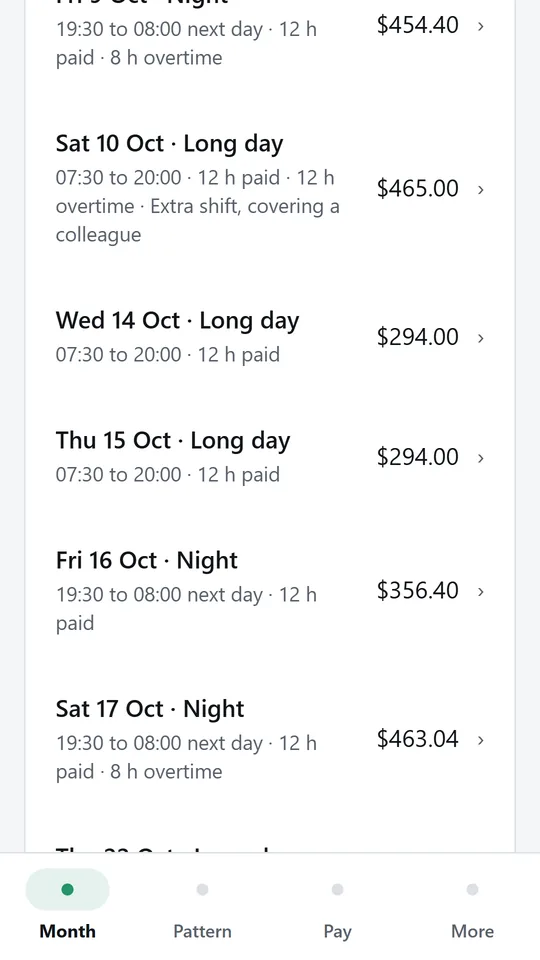
Each shift lists its times, paid hours, overtime and note, with its pay on the right. In the example, the extra shift on Sat 10 Oct pays $465.00 because all 12 h are overtime.
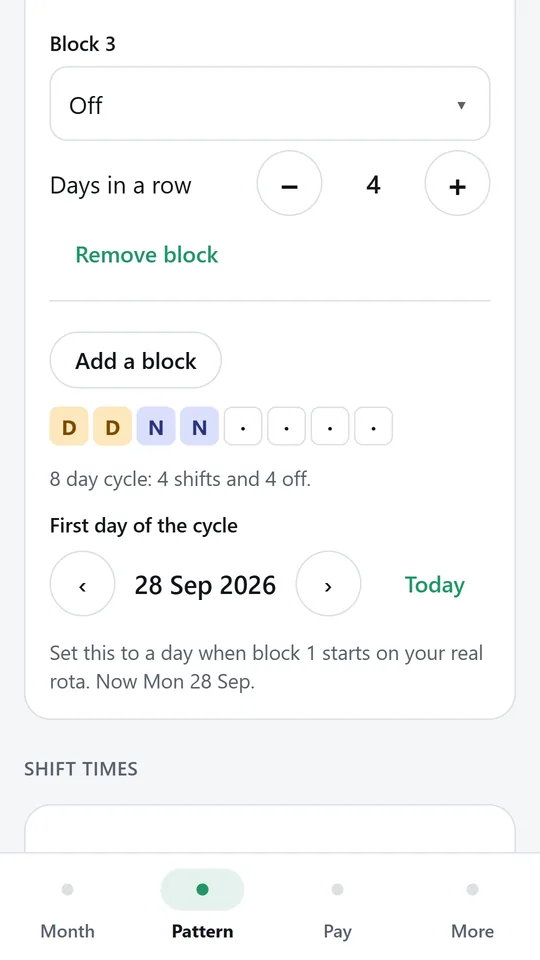
Pick a common rotation or build your own cycle from blocks of days. The strip shows the whole cycle, and the first day sets where it starts. In the example, the cycle is 8 days long.
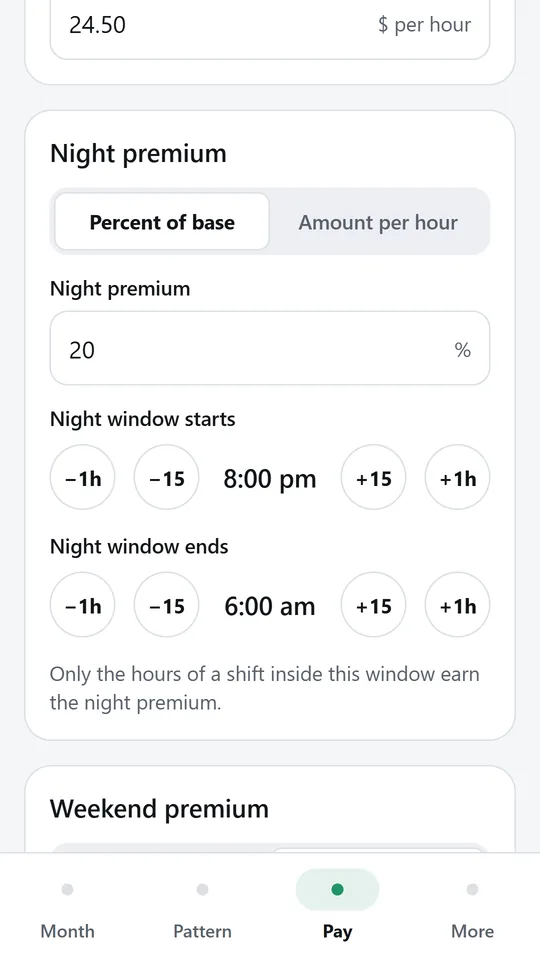
Set a base rate, a night premium as a percent or an amount per hour with its own window, a weekend premium and overtime. In the example, nights earn 20% extra from 8:00 pm to 6:00 am.
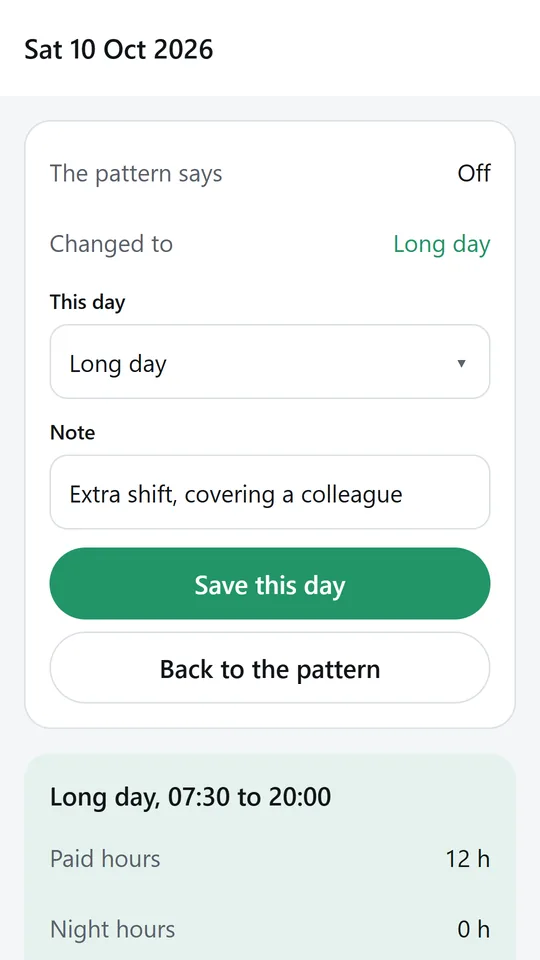
Tap any day to change it for that day only, with a note, and the pay updates at once. In the example, Sat 10 Oct is an extra long day covering a colleague. Export any month as a CSV file.
Try it now
This is the real app running in your browser, with nothing to install. Tap around, type your own numbers and see what you get. What you enter stays in this browser.
Reminders work only in the phone app.
What it does
Pick four on four off, two days two nights four off, a two two three rotation or early, late and night weeks, or build your own cycle from blocks of days. Set the first day of the cycle and the calendar fills itself, forwards and backwards.
Each day shows its shift code in its own colour, with today marked. The next shift and its times sit right under the calendar, so you always know when you are back in.
Enter your base rate, a night premium as a percent or an amount per hour with its own time window, a weekend premium for Saturday and Sunday, and whether both premiums stack or only the higher one counts.
Choose overtime per shift or per pay week, the number of hours before it starts and the rate, such as time and a half. Weekly overtime counts from the first day of your pay week, even when that week started last month.
Tap any day to swap it, add an extra shift or mark leave, with a note. The change applies to that day only and the month total updates at once.
Export the month as a CSV file with every shift, its paid, night, weekend and overtime hours, each part of the pay and the total, ready to check against your payslip.
Your rota and rates stay on your phone. Nothing is sent anywhere unless you share the export yourself.
Made around one job, not a big business suite.
Use it on site, in the shop or on the road.
Everything stays on your device. No account.
Contact
ShiftLedger is in early access: the browser demo works today and the phone app follows when enough people ask for it. Tell us how you would use it and we will invite you first.
No newsletter and no selling of your details. Read how we handle messages in the contact privacy note.