
RowMate
Early accessUS, UK and EuropeFree app
A big one tap row counter for knitting and crochet, with repeats and reminders.
Early access. The app works in your browser today; the Android app follows when enough people ask for it.
A big one tap row counter for knitting and crochet, with repeats and reminders.
Early access. The app works in your browser today; the Android app follows when enough people ask for it.
RowMate is a row counter for knitting and crochet that is simply bigger and easier to hit. One large button moves you to the next row, a second counter keeps track of repeats, and reminders tell you when a row needs something different. No account and no sign in.
How it works
Real screens from the app, filled with example data.
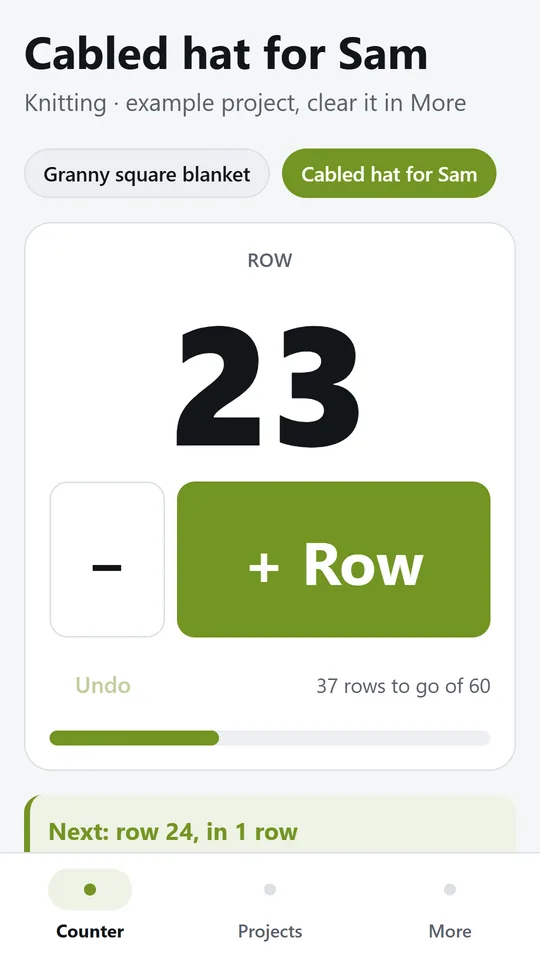
The row you are on fills the screen and the plus button is easy to hit without looking. In the example, the hat is on row 23 with 37 rows to go of 60.
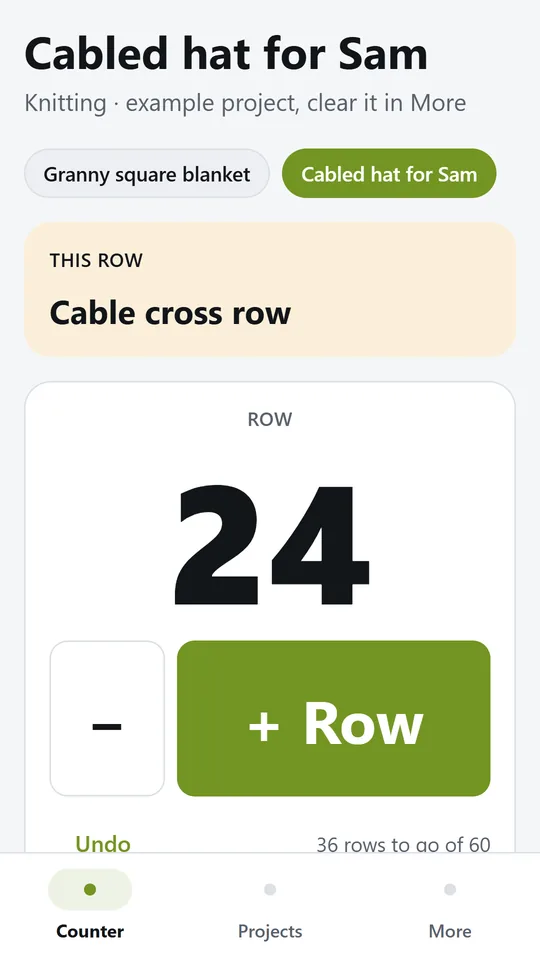
Reminders show on the rows that need something different, with a firmer buzz on the phone. In the example, row 24 is a cable cross row.
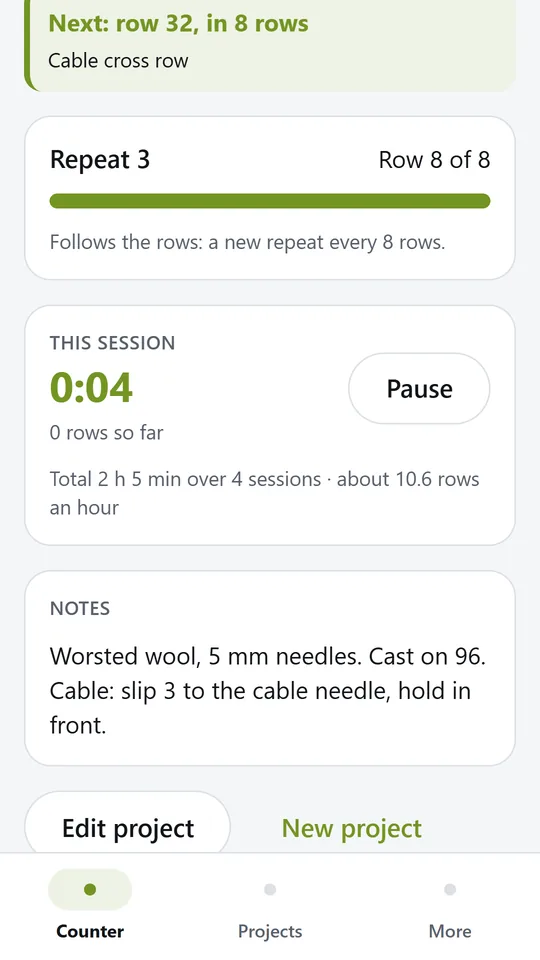
The repeat counter can follow the rows, so you always know where you are in the pattern. Start the timer when you sit down and RowMate adds up your sessions.
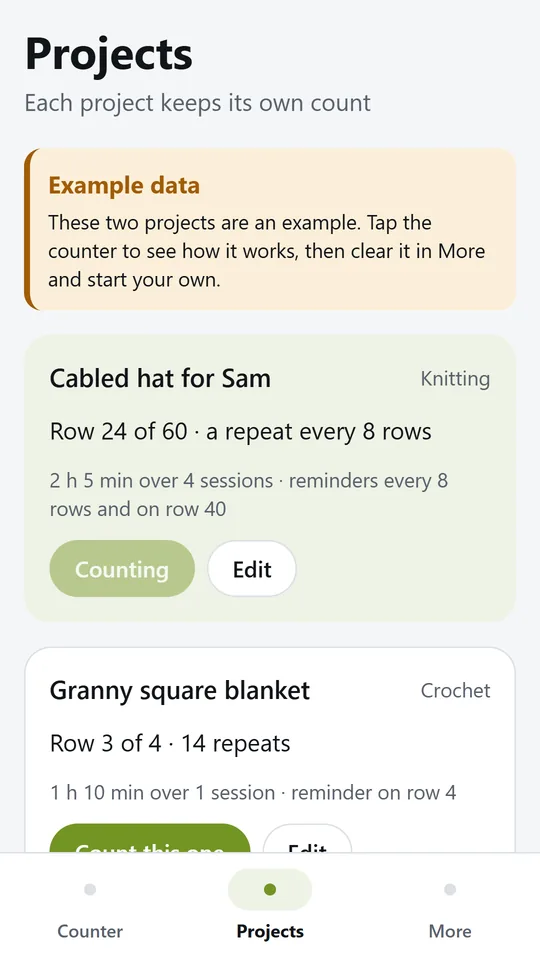
Each project keeps its own row, repeats, reminders and notes. Switch to another one with a single tap.
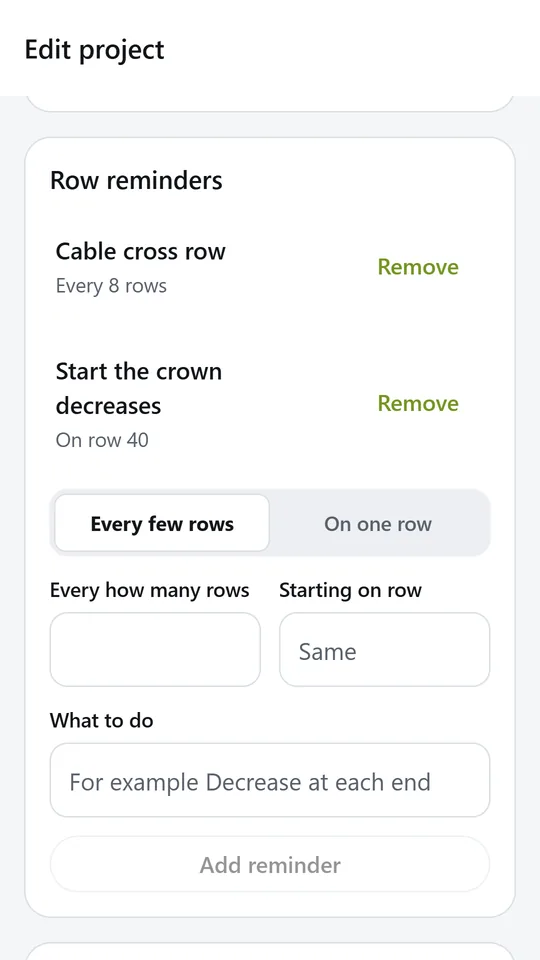
Add a reminder every few rows, such as a cable or a decrease, or on one row, such as starting the crown. In the example, the crown starts on row 40.
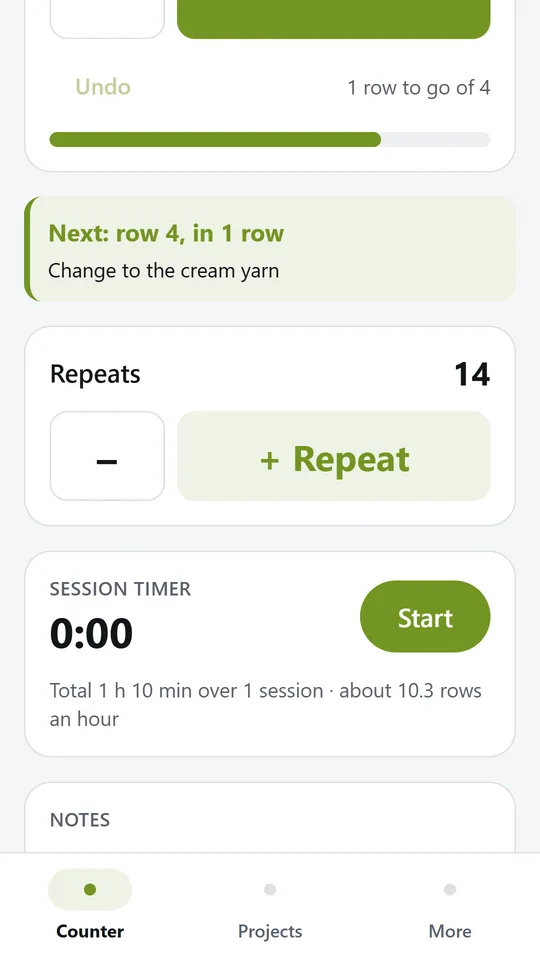
For crochet squares or motifs, count repeats with their own button. In the example, the blanket has 14 squares done.
Try it now
This is the real app running in your browser, with nothing to install. Tap around, type your own numbers and see what you get. What you enter stays in this browser.
Reminders work only in the phone app.
What it does
The row number fills the screen and the plus button is large enough to tap without looking. Every tap gives a small buzz and saves straight away. Undo takes back the last tap.
Let the repeat counter follow the rows, so a pattern repeat of 8 rows shows Repeat 3, row 7 of 8. Or count repeats, squares and motifs by hand with their own button.
Set a reminder every few rows, such as a decrease every 6 rows, or on one row, such as starting the heel on row 40. RowMate shows the next one coming and gives a firmer buzz when you reach it.
Add the number of rows in the piece and see how many are left as you go.
Start the timer when you sit down to work. RowMate counts the rows in each session, adds up your total time and shows about how many rows you do in an hour.
Keep socks, a hat and a blanket going at once. Each project has its own count, repeats, reminders and notes for needles, hook and yarn.
Projects are stored only on this device. Try the two example projects first, then clear them in one tap.
Use it in your browser now, no account.
The phone app needs no signal.
What you enter stays on your device.
Contact
RowMate is in early access: the browser demo works today and the phone app follows when enough people ask for it. Tell us how you would use it and we will invite you first.
No newsletter and no selling of your details. Read how we handle messages in the contact privacy note.