
Rent Cheque
Early accessGulfPro tool
Post dated rent cheques, deposit, notice and renewal dates in one offline place
Early access. The app works in your browser today; the Android app follows when enough people ask for it.
Post dated rent cheques, deposit, notice and renewal dates in one offline place
Early access. The app works in your browser today; the Android app follows when enough people ask for it.
Rent Cheque is an offline organiser for tenancies paid by post dated cheques. Tenants and small landlords add the yearly rent, the number of cheques and the dates from the contract, and the app keeps the cheque schedule, what has cleared, the deposit and every deadline in one place.
How it works
Real screens from the app, filled with example data.
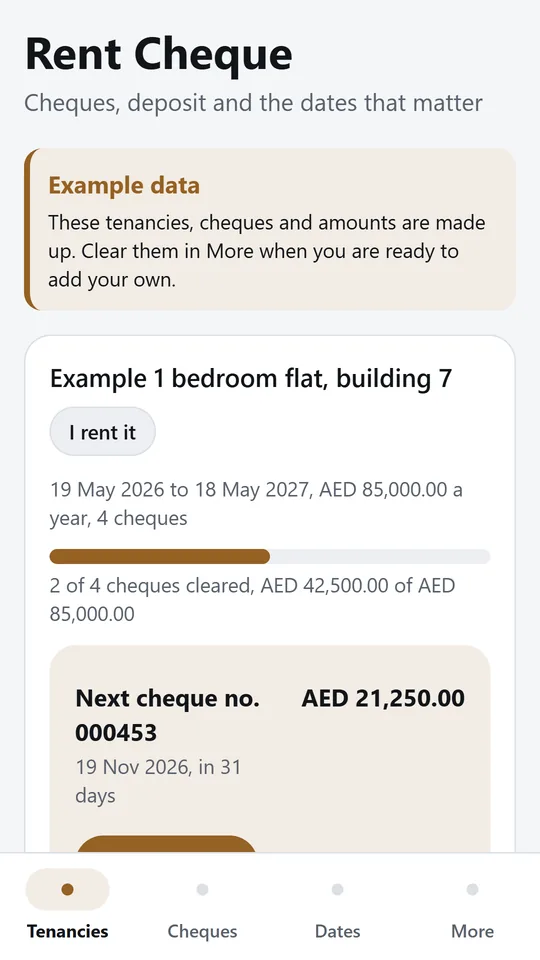
Each tenancy shows the term, the yearly rent, how much has cleared and the next cheque with its date. In the example, 2 of 4 cheques have cleared and the next one is AED 21,250.00 in 31 days.
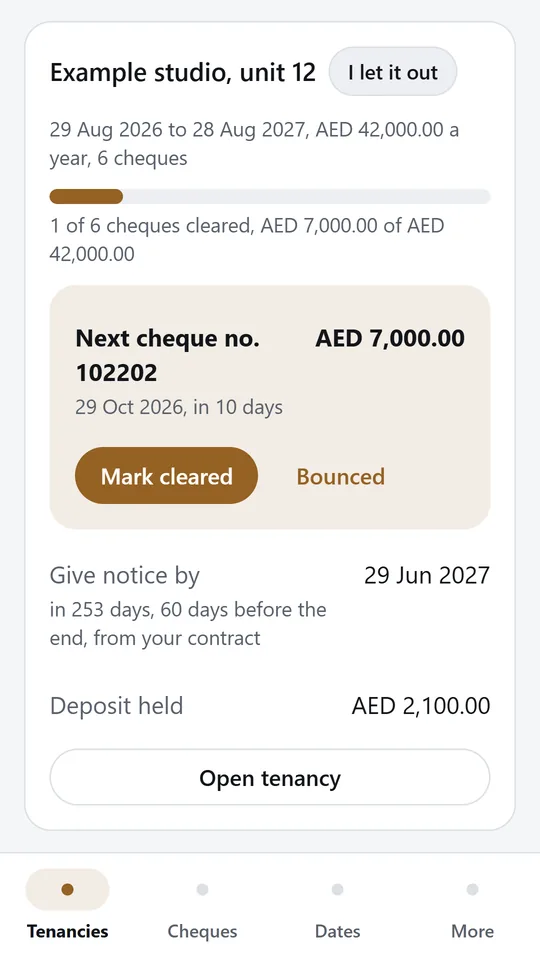
Track the flat you rent and the units you let out side by side. Mark a cheque cleared or bounced in one tap. In the example, the studio's next cheque is due in 10 days.
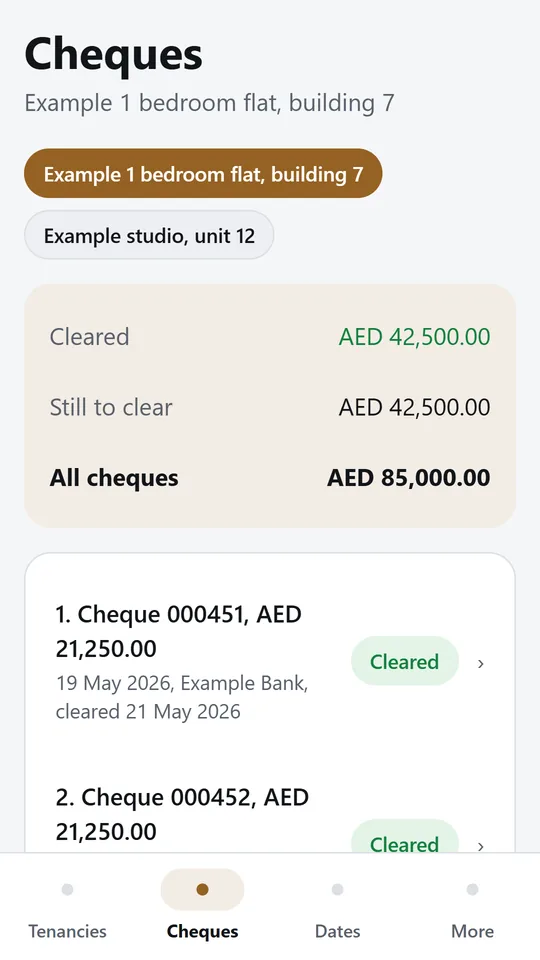
Type the yearly rent and the number of cheques, and the app spreads them evenly and numbers them from your first cheque. In the example, AED 42,500.00 has cleared and AED 42,500.00 is still to clear.
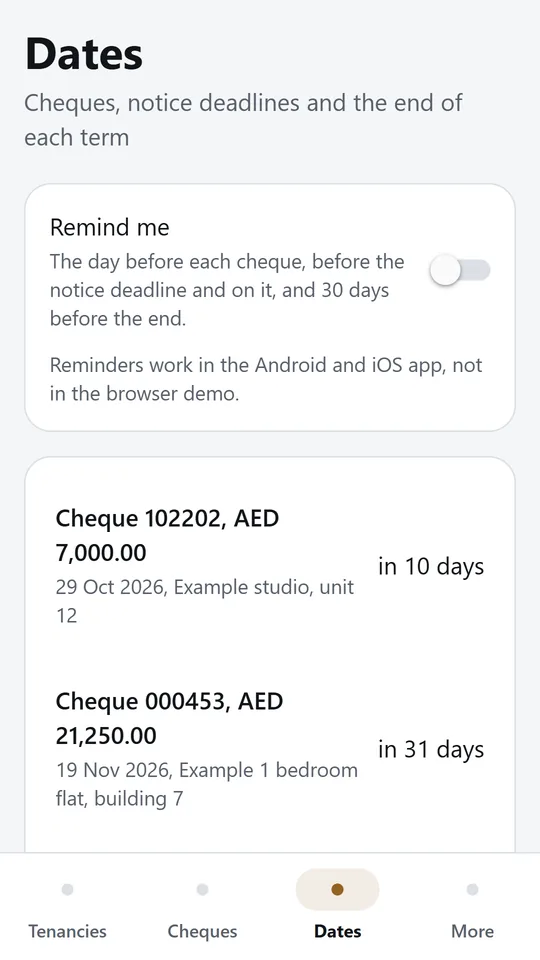
Cheque dates, notice deadlines and term ends across all tenancies, soonest first. Turn on reminders in the app for the day before each cheque and before the notice deadline.
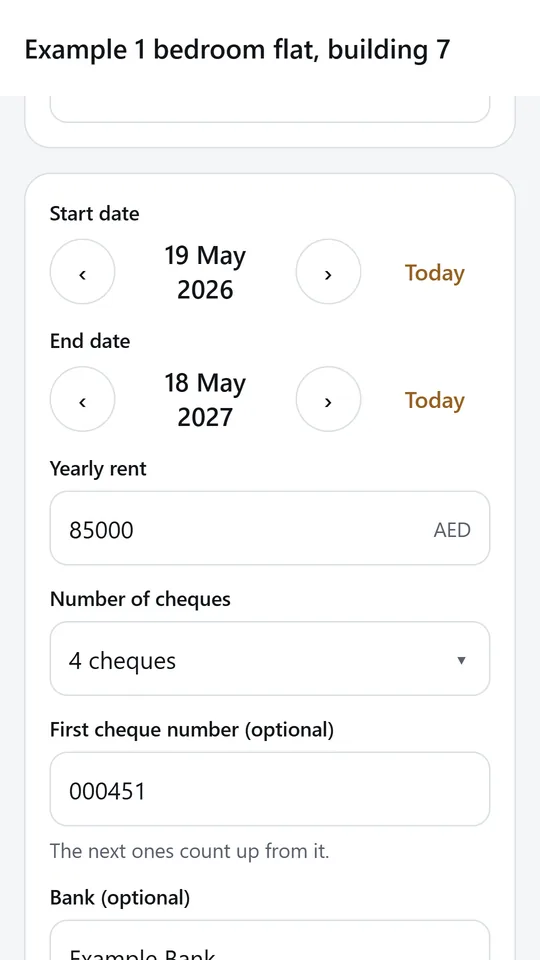
Enter the start and end dates, the yearly rent, the number of cheques and the first cheque number. The schedule and the deadlines follow from what you type.
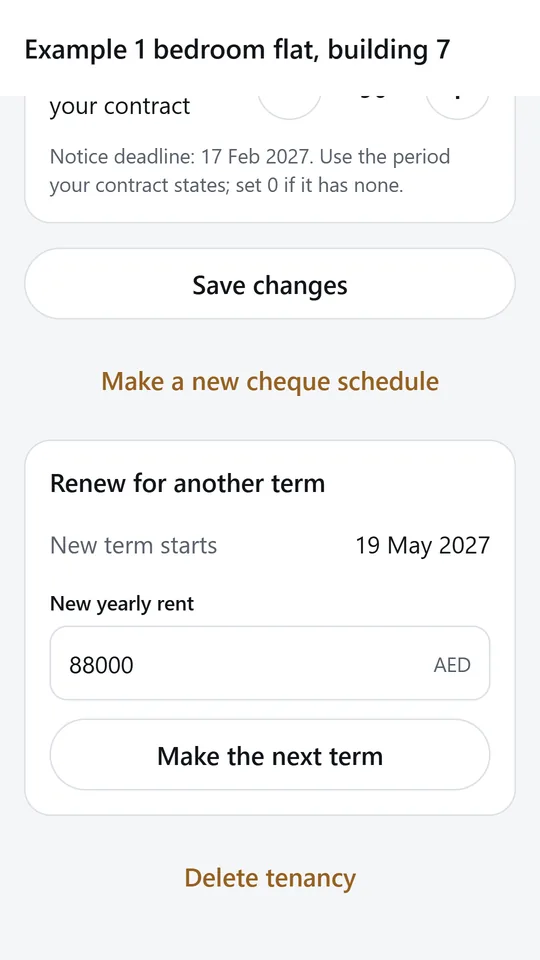
When the term is ending, type the new yearly rent and the app makes the next term with its own cheque schedule. In the example, the notice deadline is 17 Feb 2027 and the new term starts on 19 May 2027.
Try it now
This is the real app running in your browser, with nothing to install. Tap around, type your own numbers and see what you get. What you enter stays in this browser.
Reminders work only in the phone app.
What it does
Type the yearly rent and pick 1, 2, 3, 4, 6 or 12 cheques. The app spreads them evenly from the start date, numbers them from your first cheque number and makes sure they add up to the rent exactly.
Mark each cheque deposited, cleared or bounced. See what has cleared, what is still to clear and the next cheque with its date and amount.
Set the notice period from your contract and the app shows the date to give notice by, with a countdown. When the term is ending, renew it with the new rent and get the next cheque schedule in one tap.
Turn on reminders for the day before each cheque, a warning before the notice deadline and on the day, and 30 days before the end of the term.
Use it for the flat you rent or the units you let out, side by side, in AED, SAR, QAR, KWD, BHD or OMR.
Keep the security deposit paid or held, and mark it returned when it comes back.
No account and no sign in. Your tenancies stay on your phone.
Made around one job, not a big business suite.
Use it on site, in the shop or on the road.
Everything stays on your device. No account.
Contact
Rent Cheque is in early access: the browser demo works today and the phone app follows when enough people ask for it. Tell us how you would use it and we will invite you first.
No newsletter and no selling of your details. Read how we handle messages in the contact privacy note.