
ReceiptBox
Early accessWorldwidePro tool
Photograph receipts, tag them by project or trip, export a CSV or PDF report.
Early access. The app works in your browser today; the Android app follows when enough people ask for it.
Photograph receipts, tag them by project or trip, export a CSV or PDF report.
Early access. The app works in your browser today; the Android app follows when enough people ask for it.
ReceiptBox is a simple, private place for the receipts you need to claim or keep. Photograph a receipt, type the total, pick a category and tag it with a project, client or trip. At the end of the month, export a CSV for your spreadsheet or a PDF expense report with a thumbnail of every receipt.
How it works
Real screens from the app, filled with example data.
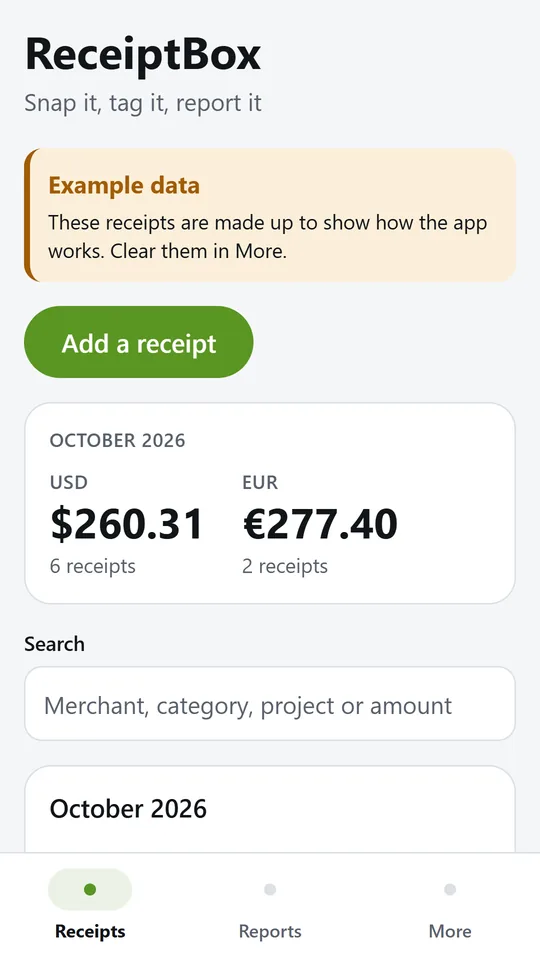
Receipts are grouped by month, with this month's total for each currency at the top. In the example, October 2026 holds $260.31 over 6 receipts and €277.40 over 2.
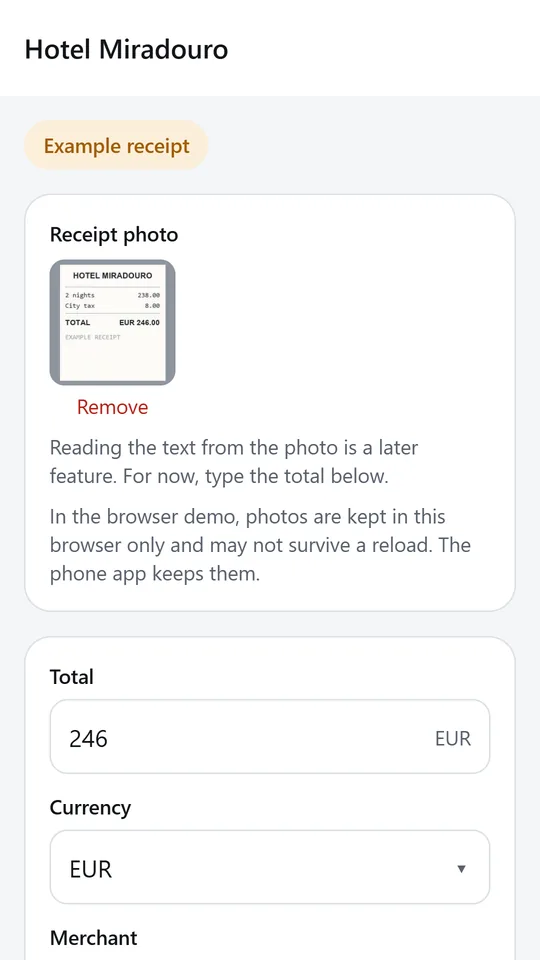
Photograph the receipt, then add the total, currency, merchant, date and category. Reading the text from the photo is a later feature, so you type the details for now.
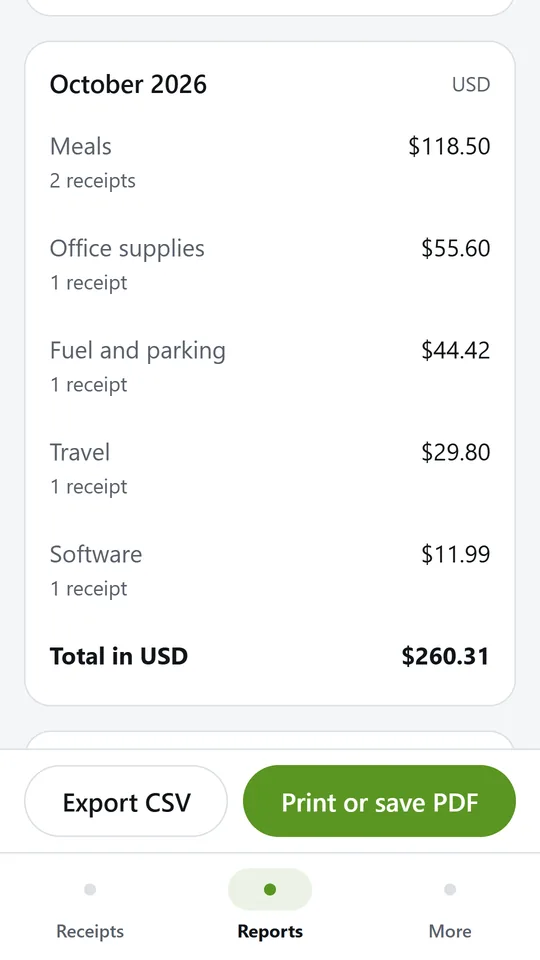
Pick a month, a quarter, a year or your own dates, and narrow it to one project or trip. In the example, meals came to $118.50 this month.
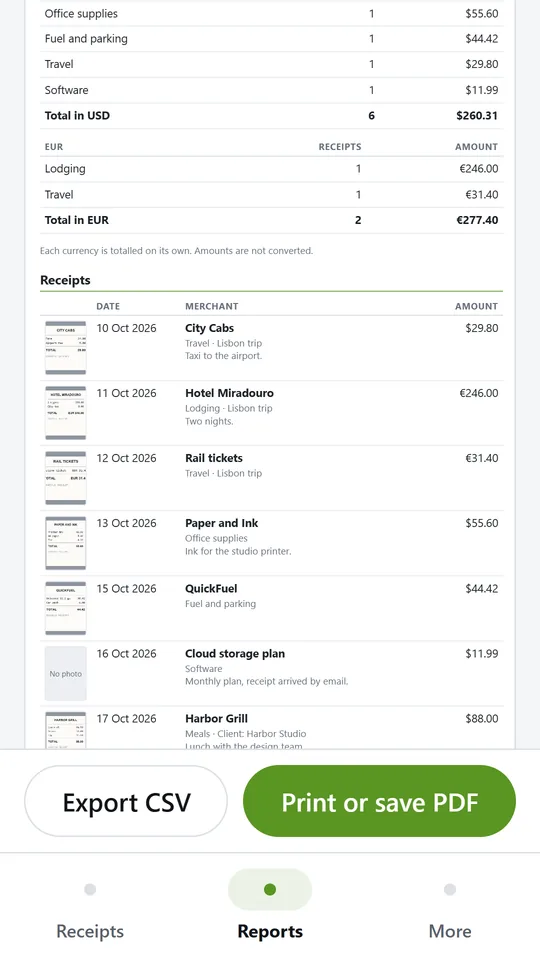
The report lists the totals for each currency and every receipt with its thumbnail, merchant and amount. Print it or save it as a PDF.
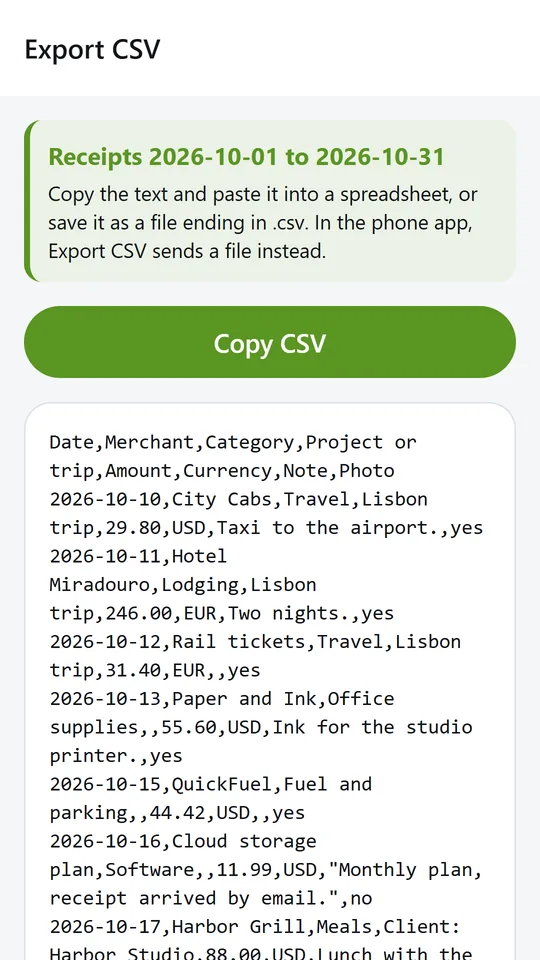
Every receipt in the period becomes one row with its date, merchant, category, tag, amount and currency. Paste it into a spreadsheet or your accounting tool.
Try it now
This is the real app running in your browser, with nothing to install. Tap around, type your own numbers and see what you get. What you enter stays in this browser.
Reminders work only in the phone app.
What it does
Take a photo of the receipt, type the total and the merchant, and pick a category. The app remembers your last category and project so the next receipt is quicker.
Give receipts a tag such as a client name or a trip, then report on that tag alone.
This month, last month, this quarter, this year, last year or dates you choose. Totals are split by category.
Each receipt keeps its own currency, and every currency is totalled on its own. Nothing is converted behind your back.
Export a period as a CSV file that opens in any spreadsheet, or as a PDF expense report with your name, the totals and a thumbnail of each receipt.
No account, no upload, no bank connection. Your receipts stay on your phone until you share a report.
Made around one job, not a big business suite.
Use it on site, in the shop or on the road.
Everything stays on your device. No account.
Contact
ReceiptBox is in early access: the browser demo works today and the phone app follows when enough people ask for it. Tell us how you would use it and we will invite you first.
No newsletter and no selling of your details. Read how we handle messages in the contact privacy note.