
PunchList
Early accessUS, UK and EuropePro tool
A punch list with pinned photos, trade, priority and status, shared as a PDF.
Early access. The app works in your browser today; the Android app follows when enough people ask for it.
A punch list with pinned photos, trade, priority and status, shared as a PDF.
Early access. The app works in your browser today; the Android app follows when enough people ask for it.
PunchList is a simple snag list for remodelers, site supervisors and inspectors who work alone. Walk the job, add each issue with a photo, pin the problem on the photo, and send a clean punch list PDF grouped by room or by trade.
How it works
Real screens from the app, filled with example data.
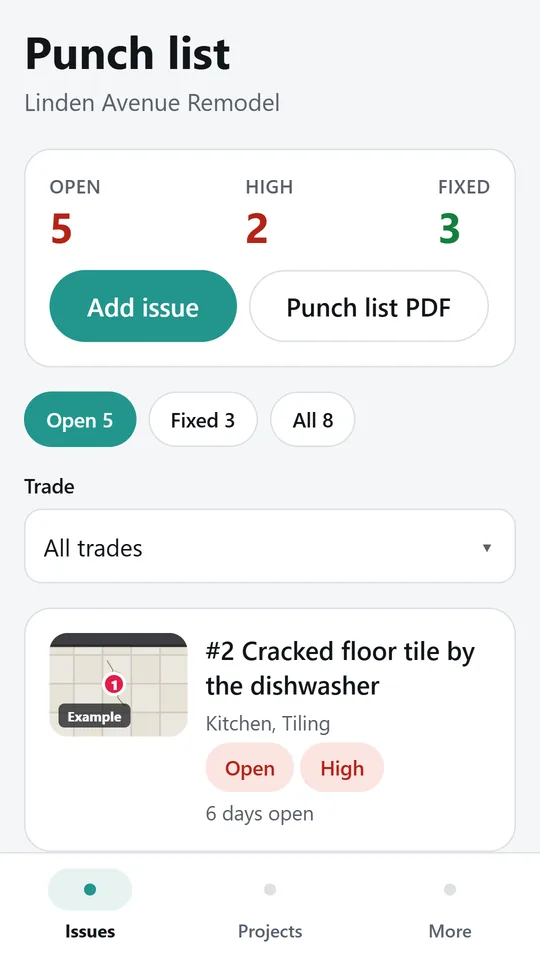
The list shows open issues first, sorted by priority, with a photo, the location, the trade and how long each has been open. In the example, 5 issues are open and 2 are high priority.
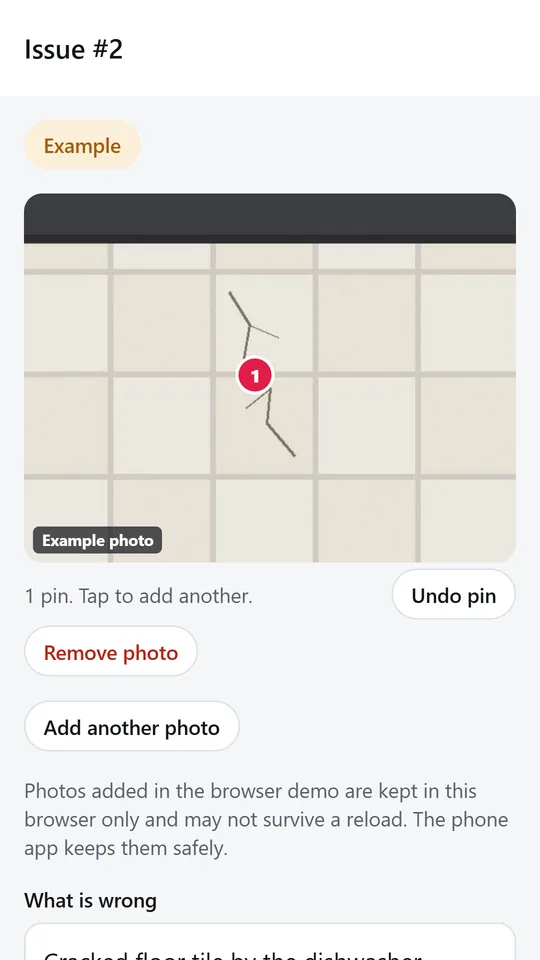
Take a photo or pick one from your gallery, then tap where the problem is to drop a numbered pin. The pins print on the photo in the report.
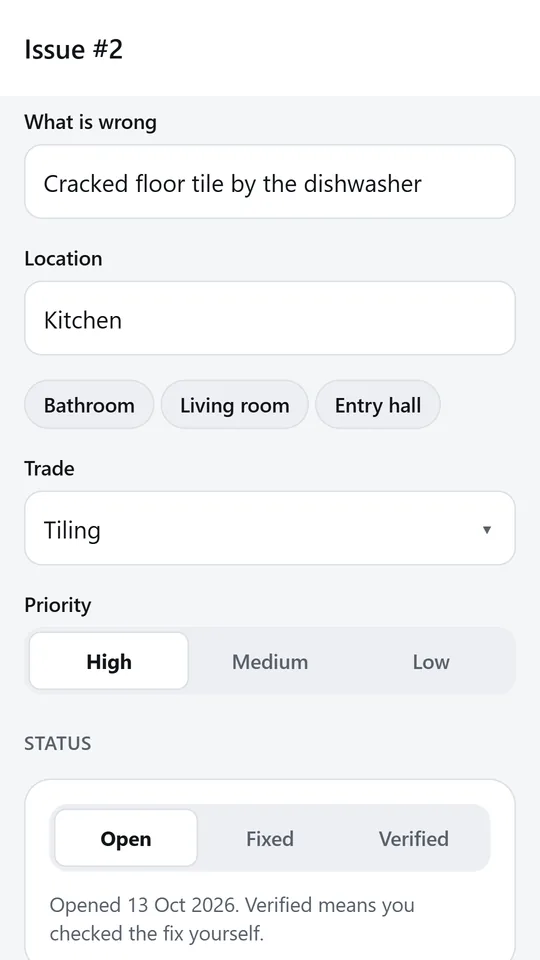
Describe the issue, pick a location you used before with one tap, choose the trade and set the priority. Mark it fixed or verified when the work is done.
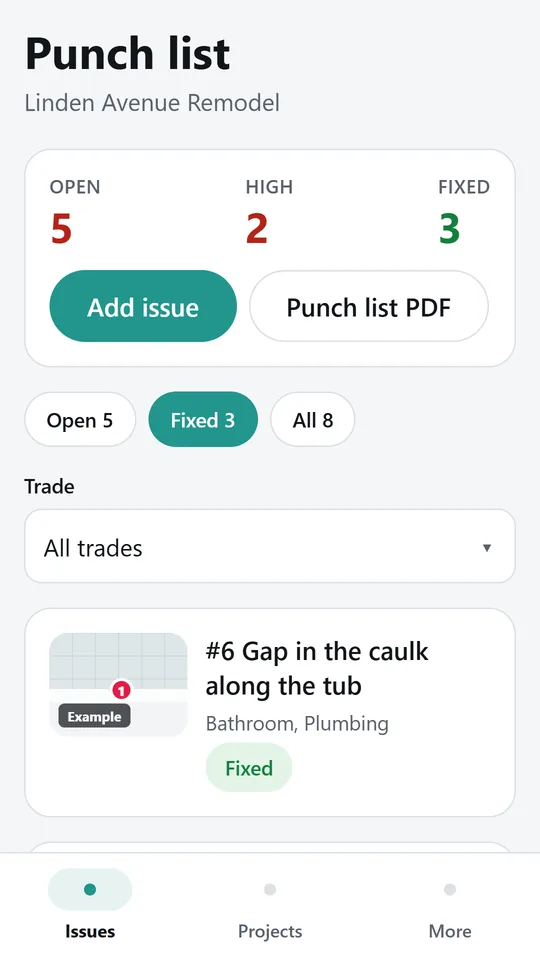
Switch between open, fixed and all issues, or filter by one trade to hand each subcontractor their part. In the example, 3 issues are fixed.
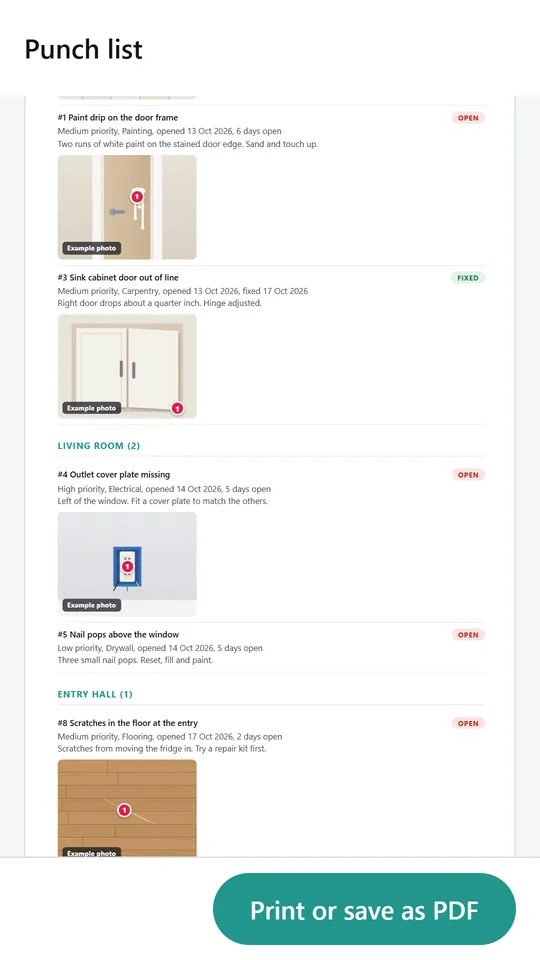
The punch list groups issues by location or by trade, each with its status, priority, dates, notes and pinned photo. It ends with a line for you and the client to sign.
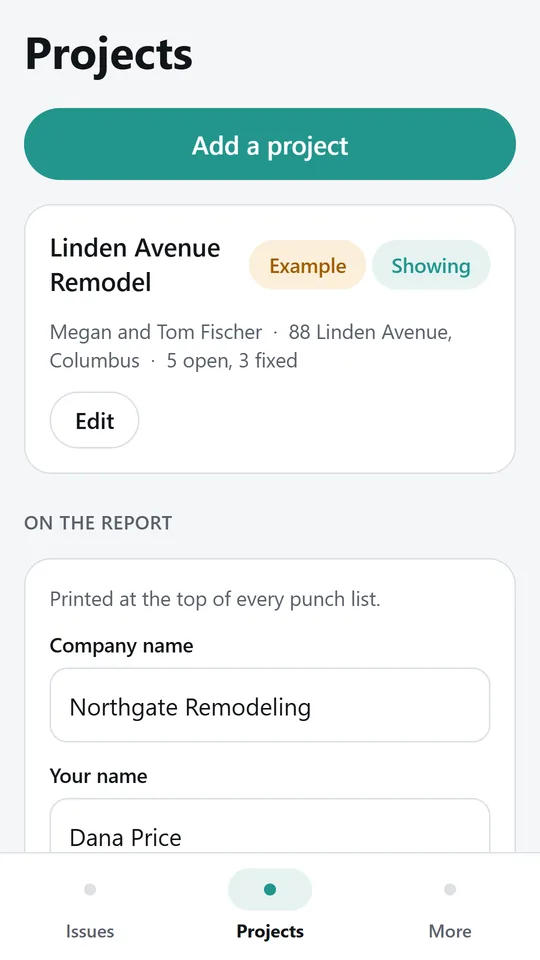
Add a project for each job with its address and client, and switch between their lists. Your company name and your own name go at the top of every report.
Try it now
This is the real app running in your browser, with nothing to install. Tap around, type your own numbers and see what you get. What you enter stays in this browser.
Reminders work only in the phone app.
What it does
Tap Add issue, take a photo and say what is wrong. The location and trade carry over from the last issue, so a room full of snags goes in fast. Locations you used before are one tap away.
Tap the photo where the problem is to drop a numbered pin. Add up to nine pins on each photo. The pins print on the photo in the report, so nobody has to guess.
Give each issue a trade, a priority of high, medium or low, and a status of open, fixed or verified. The app records the day it was opened and the day it was fixed.
See open issues first, sorted by priority, or switch to fixed or all. Filter by trade to hand each subcontractor their part of the list.
Share a PDF of open issues or all issues, grouped by location or by trade, with counts at the top and a line for you and the client to sign. Choose US Letter or A4.
No team setup and no sign in. Everything stays on your phone until you share the report.
PunchList is free while we test it with people who walk jobs every week. Tell us what would make it worth paying for.
Made around one job, not a big business suite.
Use it on site, in the shop or on the road.
Everything stays on your device. No account.
Contact
PunchList is in early access: the browser demo works today and the phone app follows when enough people ask for it. Tell us how you would use it and we will invite you first.
No newsletter and no selling of your details. Read how we handle messages in the contact privacy note.