
Passport Photo Guide
Early accessWorldwideFree app
Official photo sizes with sources, a framing guide and a 4 x 6 inch print sheet.
Early access. The app works in your browser today; the Android app follows when enough people ask for it.
Official photo sizes with sources, a framing guide and a 4 x 6 inch print sheet.
Early access. The app works in your browser today; the Android app follows when enough people ask for it.
Passport Photo Guide helps you get the size and framing of a passport or visa photo right before you print it. Pick the document, choose a photo you took against a plain wall, mark the top of the head and the chin, and the app frames it so the head height matches the official rule. Then print a 4 x 6 inch sheet of copies at the exact size. The app never edits faces or backgrounds.
How it works
Real screens from the app, filled with example data.
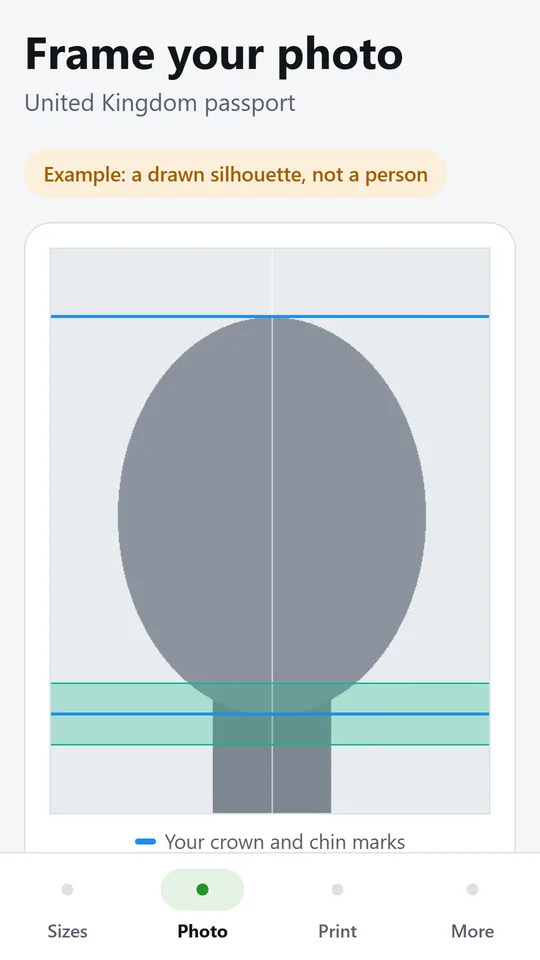
Mark the top of the head and the chin, and the frame is set so the head height fits the size you chose. The example uses a drawn silhouette, not a real person.
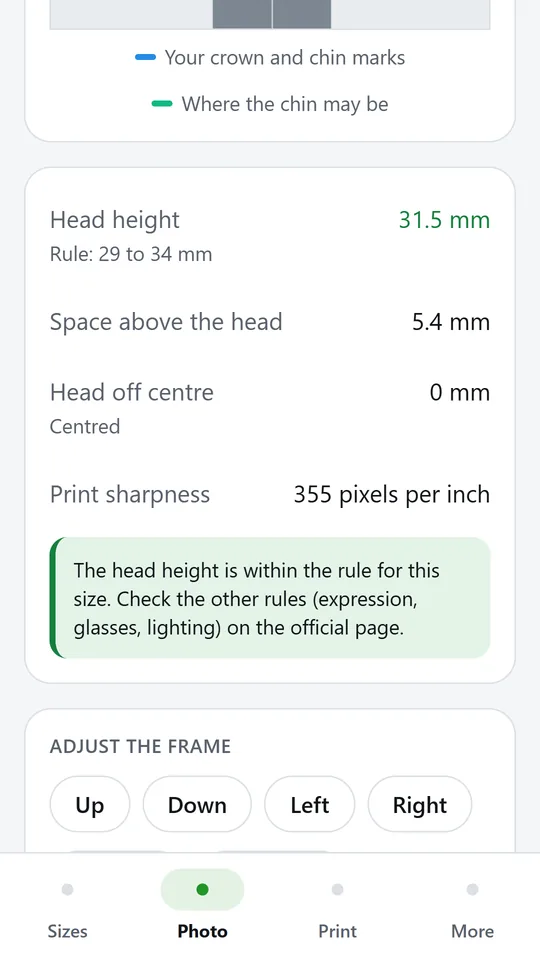
See the head height against the rule, the space above the head and how far it is off centre. In the example, the head is 31.5 mm against a rule of 29 to 34 mm.
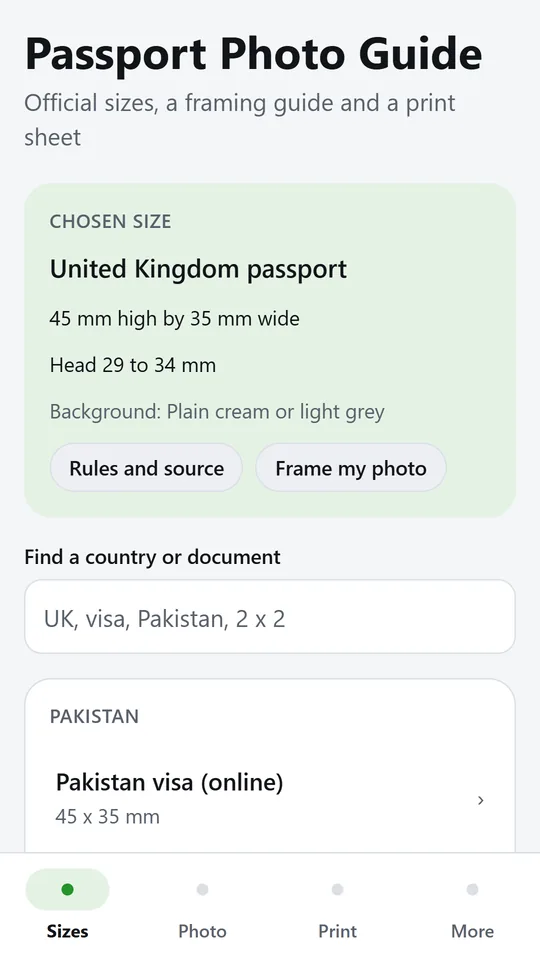
Choose from passport and visa sizes for Pakistan, the Gulf, Europe, the Americas and Australia. The chosen size shows its head rule and background.
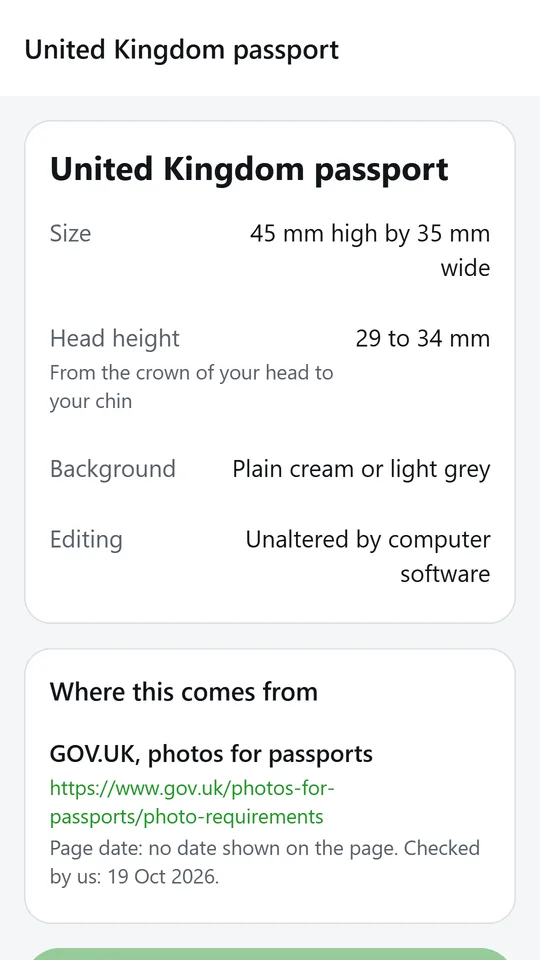
Each size shows the official wording, the page it comes from and the date we checked it. Confirm on that page before you print.
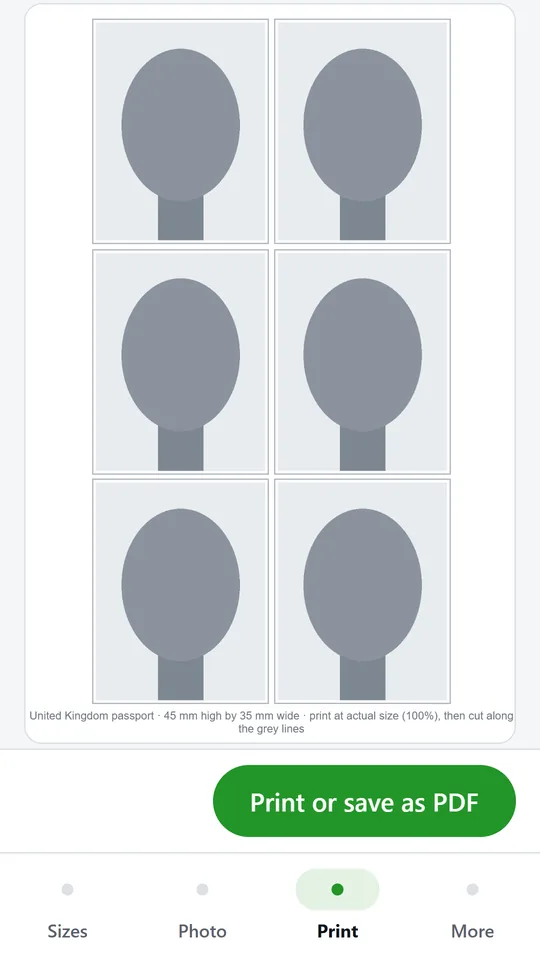
The sheet for photo paper fits as many copies as possible at the exact size, with grey cut lines. In the example, six copies fit on one sheet.
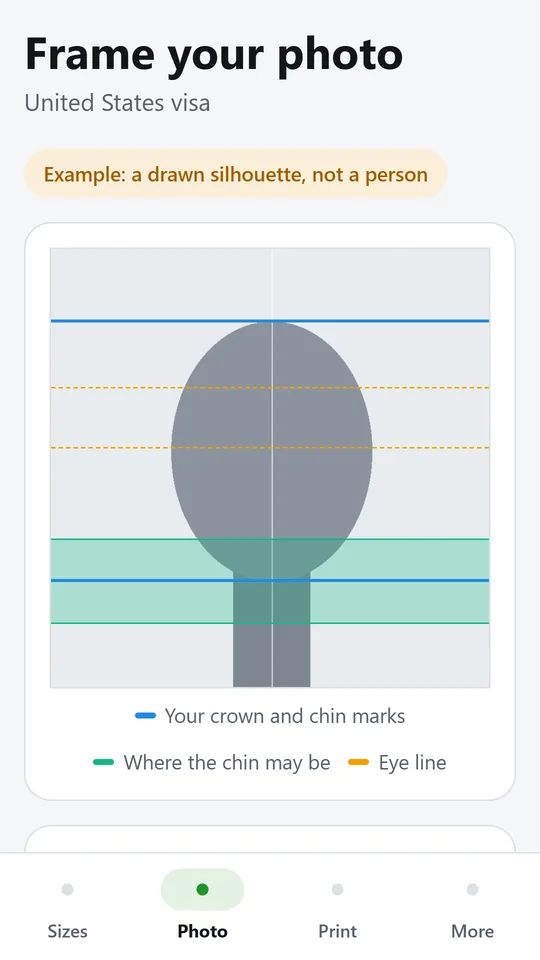
Choose another size, such as the United States visa, and the same photo is framed again, with the eye line where the rule has one. The photo itself is never edited.
Try it now
This is the real app running in your browser, with nothing to install. Tap around, type your own numbers and see what you get. What you enter stays in this browser.
Reminders work only in the phone app.
What it does
Sizes for the United Kingdom, the United States, Canada, Australia, Schengen visas for Germany and the Netherlands, the UAE, Saudi Arabia and Pakistan, plus the ICAO style 35 x 45 mm. Each one links to the official page it comes from, with the date we checked it.
Tap the top of the head and the chin. The app sets the frame so the head height sits inside the rule, and shows the head height, the space above the head and how far it is off centre.
Guides drawn over your photo show where the chin may be and, for sizes that have one, the eye line. Move and zoom the frame with simple buttons.
A PDF sheet on 4 x 6 inch photo paper with as many copies as fit: six of a 35 x 45 mm photo, two of a 2 x 2 inch photo. Print at actual size and cut along the grey lines.
The app only crops and scales your photo. It does not smooth skin, change colours, remove backgrounds or touch the face, because edited photos are refused by many authorities, including the United States.
Some forms want a file instead of a print, such as the Pakistan online passport and the Saudi eVisa. The app shows their pixel sizes and helps you check the framing.
Use it in your browser now, no account.
The phone app needs no signal.
What you enter stays on your device.
Contact
Passport Photo Guide is in early access: the browser demo works today and the phone app follows when enough people ask for it. Tell us how you would use it and we will invite you first.
No newsletter and no selling of your details. Read how we handle messages in the contact privacy note.