
Parked
Early accessUS, UK and EuropeFree app
Save where you parked with level, bay and photo, then find your car again
Early access. The app works in your browser today; the Android app follows when enough people ask for it.
Save where you parked with level, bay and photo, then find your car again
Early access. The app works in your browser today; the Android app follows when enough people ask for it.
Parked remembers where you left the car. Tap once to save your position, add the street, level, bay, a note and a photo, and find your way back later. A meter timer warns you before your paid parking runs out.
How it works
Real screens from the app, filled with example data.
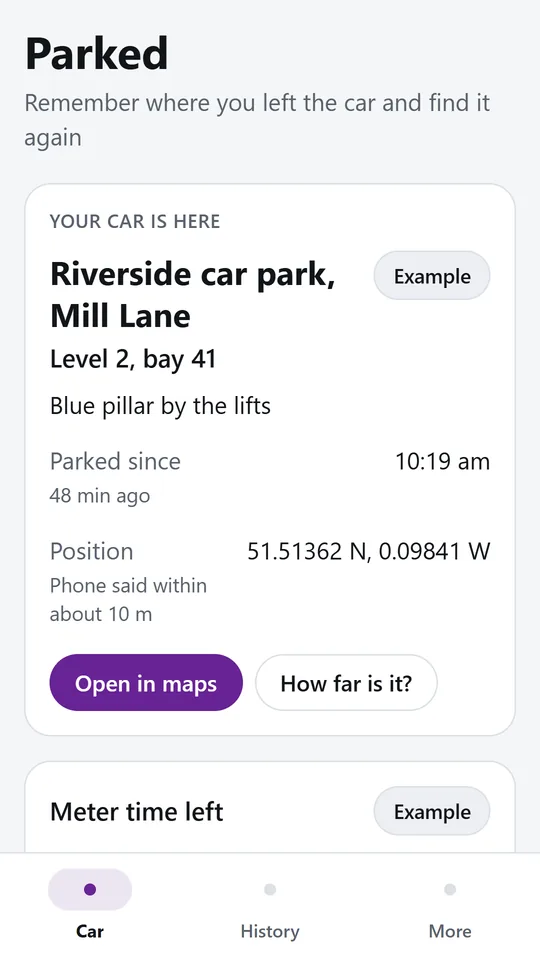
Tap once to keep your position, then add the street, level, bay and a note. In the example, the car is on level 2, bay 41, by a blue pillar. Open it in maps or check how far away it is.
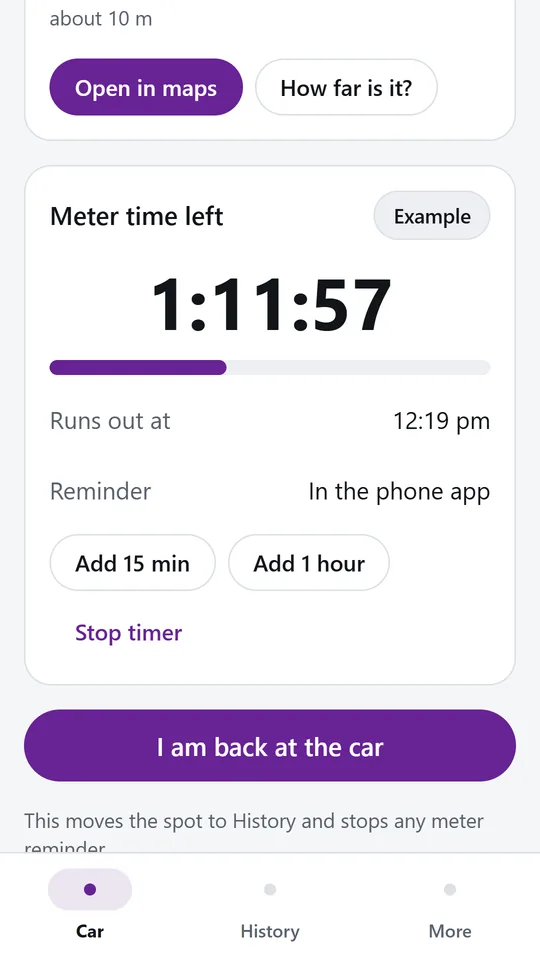
Set the time you paid for and watch it count down. The phone app reminds you before it runs out, and you can add more time when you extend.
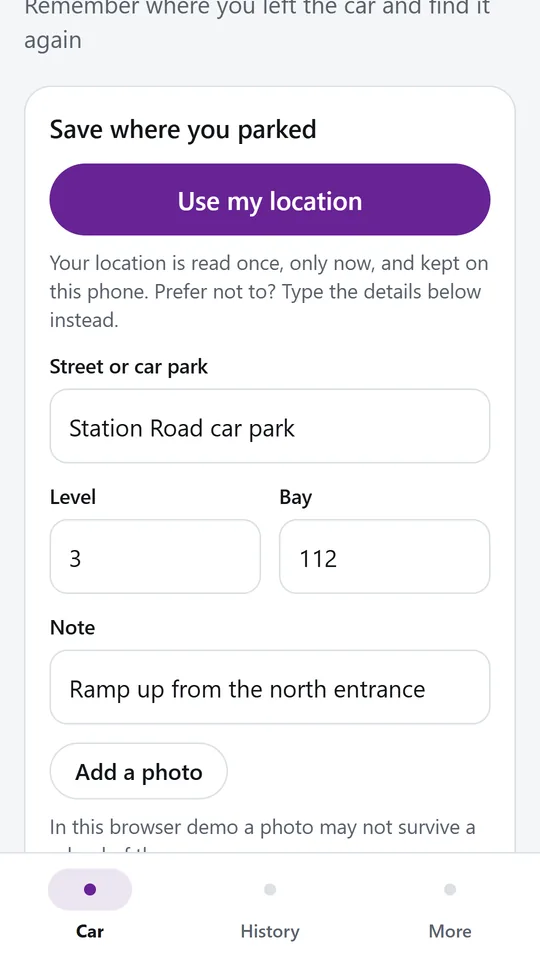
Location is read once, only when you tap. Prefer not to share it, or parked underground? Type the street, level, bay and a note, or add a photo of a nearby sign.
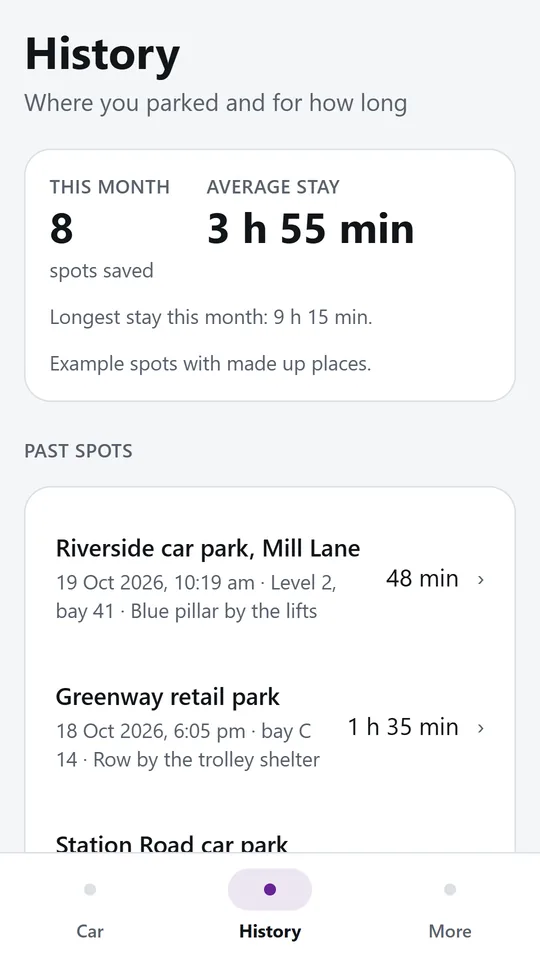
Every spot is kept with the date, the details you typed and how long you stayed. Example spots are labelled so they are never mistaken for yours.
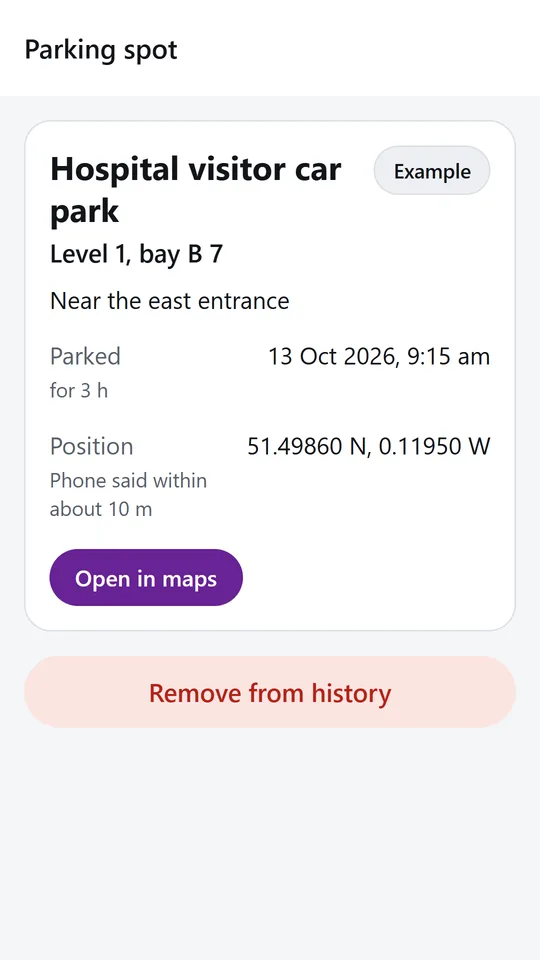
Tap a past spot to see its details and open it in the map app you already use. Remove the ones you no longer need.
Try it now
This is the real app running in your browser, with nothing to install. Tap around, type your own numbers and see what you get. What you enter stays in this browser.
Reminders work only in the phone app.
What it does
Tap Use my location and the phone reads your position once. Add the car park, level and bay so you know exactly where to go, even when the signal is weak.
Prefer not to share your position, or parked underground? Type the street, level, bay and a note, or add a photo of a pillar or sign. The spot saves just the same.
On the way back, tap How far is it to see the straight line distance and the direction to your car, in metres or feet.
Open the saved spot in the map app you already use and let it guide you back on foot.
Set the time you paid for and get a reminder 5, 10 or 15 minutes before it runs out. Add 15 minutes or an hour when you extend.
Every spot is kept with the date and how long you parked, so you can check where you left the car last week.
No account and no tracking. Location is read only when you tap and only while the app is open. Your spots stay on your phone.
Use it in your browser now, no account.
The phone app needs no signal.
What you enter stays on your device.
Contact
Parked is in early access: the browser demo works today and the phone app follows when enough people ask for it. Tell us how you would use it and we will invite you first.
No newsletter and no selling of your details. Read how we handle messages in the contact privacy note.