
Park Clock
Early accessGulfFree app
Parking timer with a cost estimate, a warning before it runs out and spend
Early access. The app works in your browser today; the Android app follows when enough people ask for it.
Parking timer with a cost estimate, a warning before it runs out and spend
Early access. The app works in your browser today; the Android app follows when enough people ask for it.
Park Clock is a simple parking timer for drivers who use paid street parking. Save the zones you park in with the hourly rate on the sign, start a timer for the time you bought, and get a warning before it runs out. Every session is kept so you can see what parking costs you each month.
How it works
Real screens from the app, filled with example data.
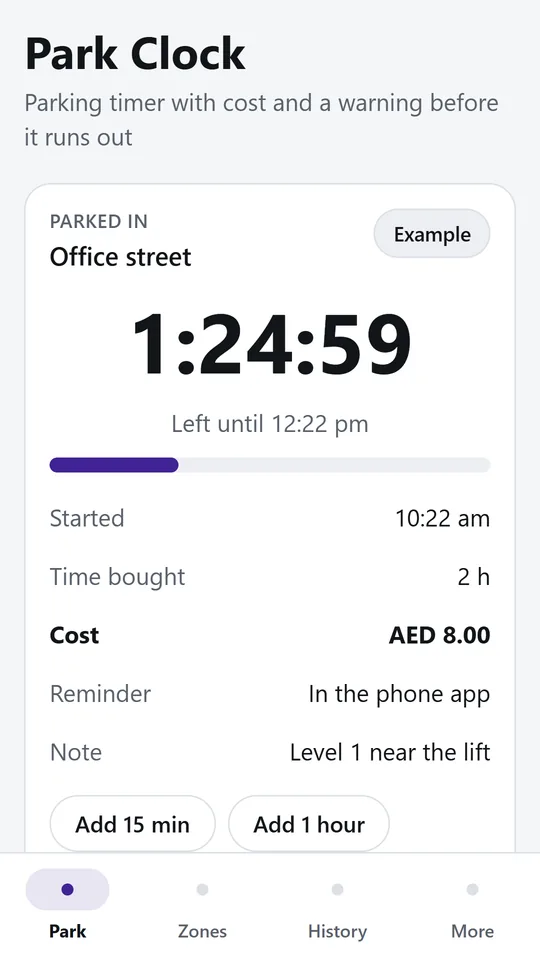
A large countdown shows the time left, when it runs out and what it cost. In the example, two hours in Office street cost AED 8.00. Add more time without starting again.
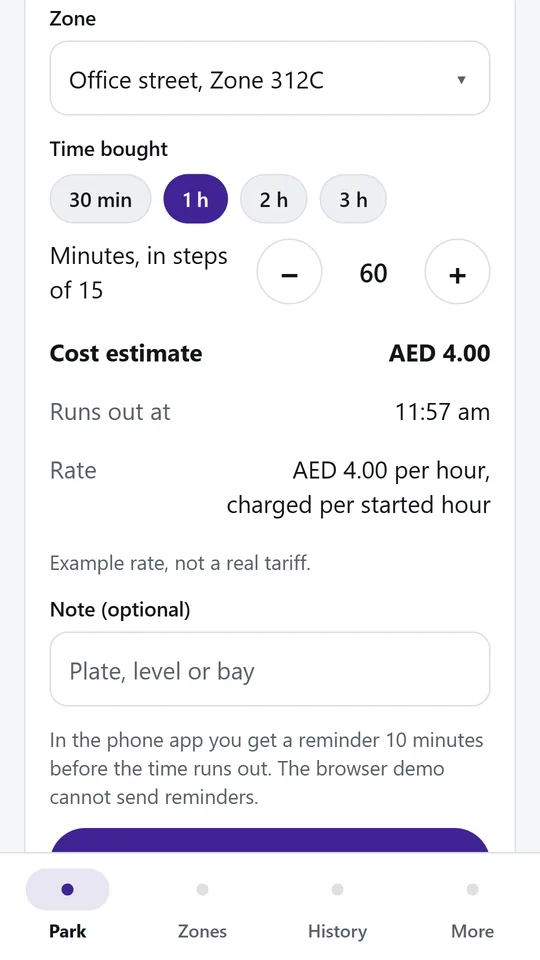
Pick a zone and the time you are buying to see the cost and when it runs out. In the example, one hour in Office street is estimated at AED 4.00. The phone app warns you before the time is up.
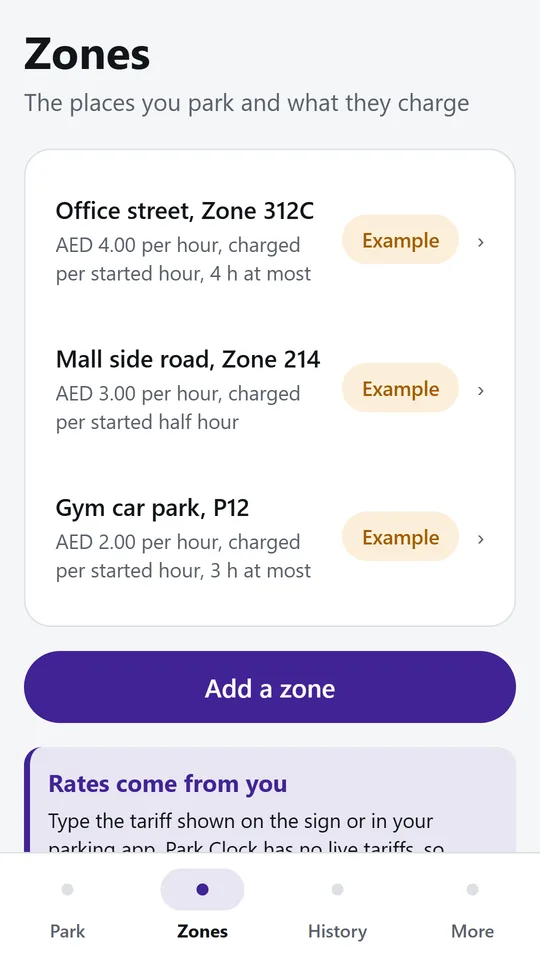
Add the places you park with the price per hour from the sign and how they charge. In the example, Mall side road costs AED 3.00 per hour, charged per started half hour.
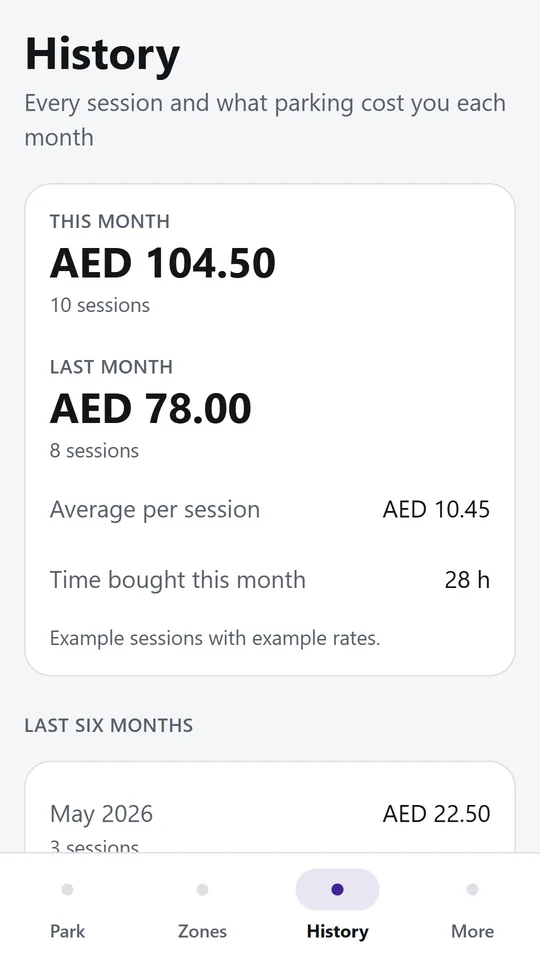
History adds up what you spent this month and last month, with the average per session and the time bought. Example sessions are labelled so they are never mistaken for your own.
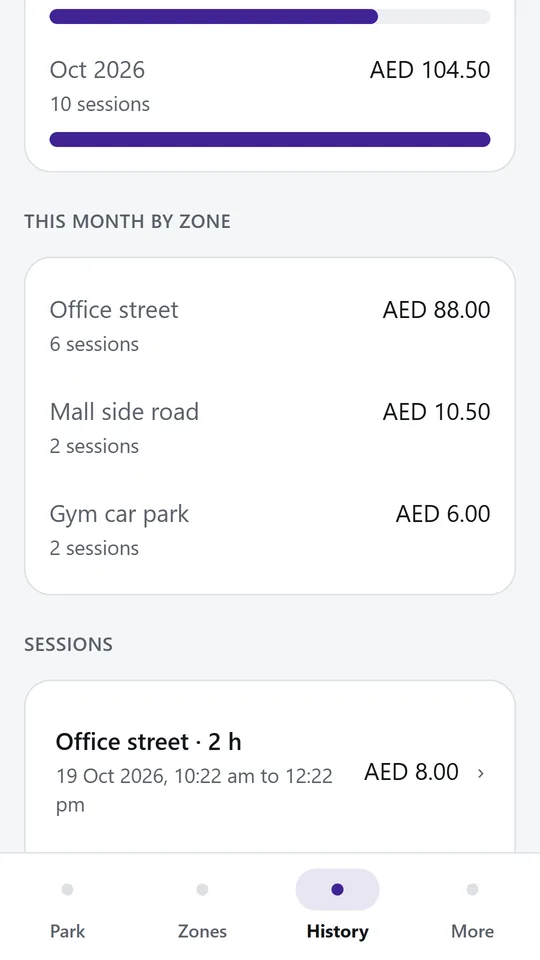
The last six months sit side by side, and this month is split by zone with the biggest first. It shows where your parking money goes.
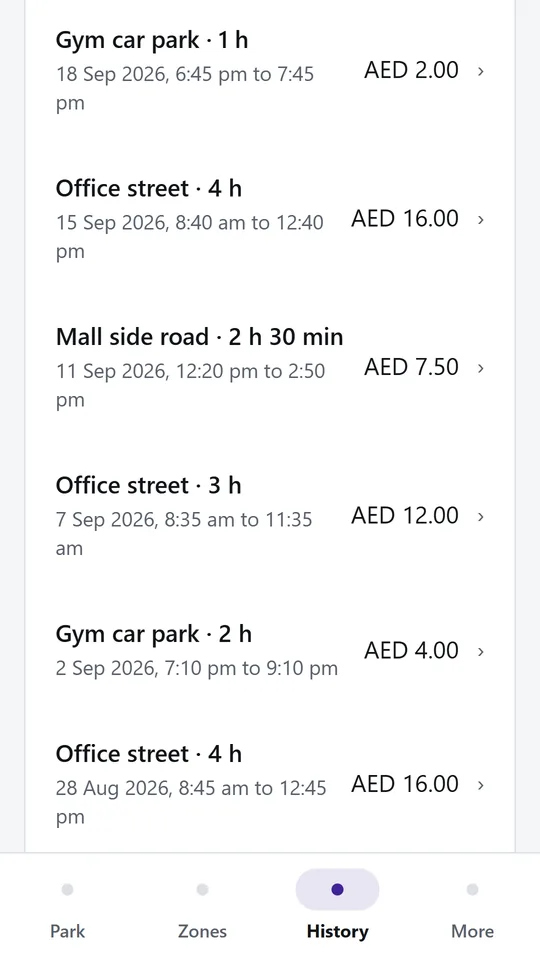
Every timer is kept with the date, the time bought and what it cost. Tap a session to see each extension priced on its own, or remove one logged by mistake.
Try it now
This is the real app running in your browser, with nothing to install. Tap around, type your own numbers and see what you get. What you enter stays in this browser.
Reminders work only in the phone app.
What it does
Add each place you park once, with its zone code, the price per hour and how it charges: each started hour, each half hour, each 15 minutes or by the minute. Add the longest stay allowed and the app warns you when you buy more.
Pick a zone, choose the time you are buying and see the cost and the time it runs out before you start. A large countdown shows how long is left at a glance.
Turn on the reminder and the phone tells you 5, 10 or 15 minutes before your time is up, and again when it has run out. Reminders are local notifications on your phone.
Add 15 minutes or an hour while you are still parked. Each extension is priced on its own, the way meters and parking apps charge. End the session when you leave.
History shows what you spent this month and last month, the last six months side by side, and which zones cost you the most.
There is no account. Your zones and sessions stay on your phone. Park Clock does not pay for parking and has no live tariffs: you type the rate from the sign, so always pay through the official meter or app and follow the signs.
Use it in your browser now, no account.
The phone app needs no signal.
What you enter stays on your device.
Contact
Park Clock is in early access: the browser demo works today and the phone app follows when enough people ask for it. Tell us how you would use it and we will invite you first.
No newsletter and no selling of your details. Read how we handle messages in the contact privacy note.