
Loan Calc
Mortgage, loan, payoff and refinance calculator with full amortization. Offline.
Test build for Android. Google Play release after testing; until then ads are Google test ads.
Mortgage, loan, payoff and refinance calculator with full amortization. Offline.
Test build for Android. Google Play release after testing; until then ads are Google test ads.
Loan Calc is one clear calculator for every loan decision: what a home costs each month, what any loan costs in total, how much you save by paying early, and whether a refinance is worth it. It works offline and needs no account.
How it works
Real screens from the app, filled with example data.
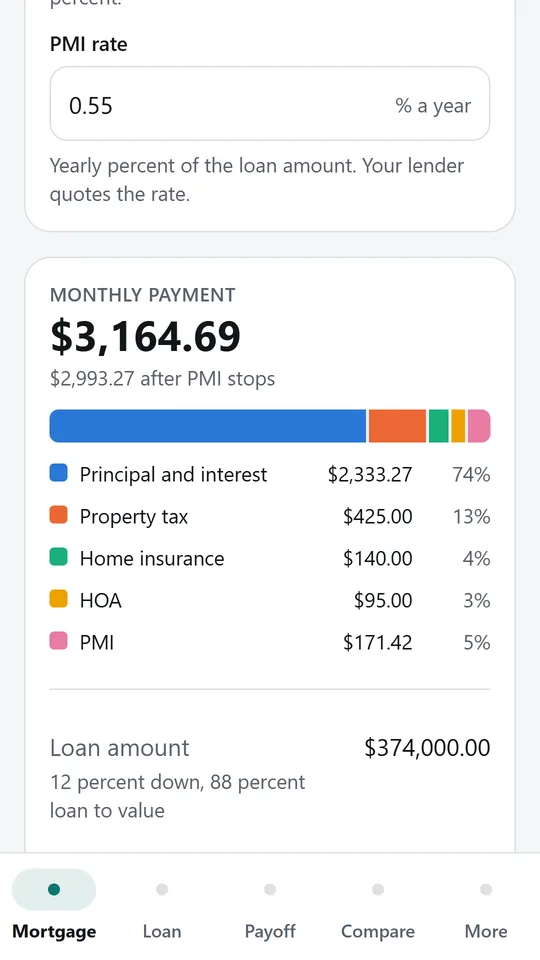
Enter the price, down payment, rate and term, then add property tax, home insurance, HOA and PMI. The full monthly payment is split into each part with a simple bar. In the example it drops to $2,993.27 once PMI stops.
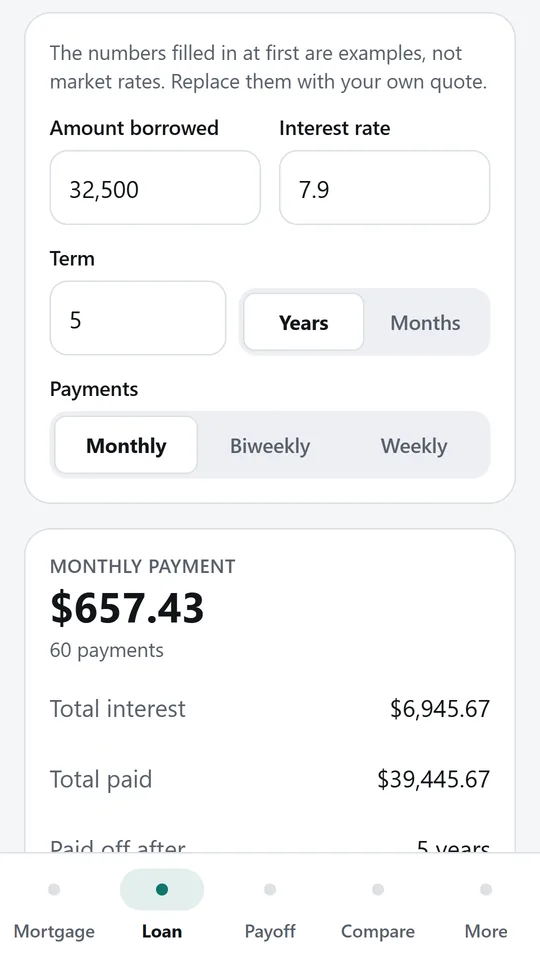
Enter the amount, interest rate and term in years or months, and choose monthly, biweekly or weekly payments. You see the payment, total interest and total paid. In the example, $32,500 over 5 years costs $657.43 a month.
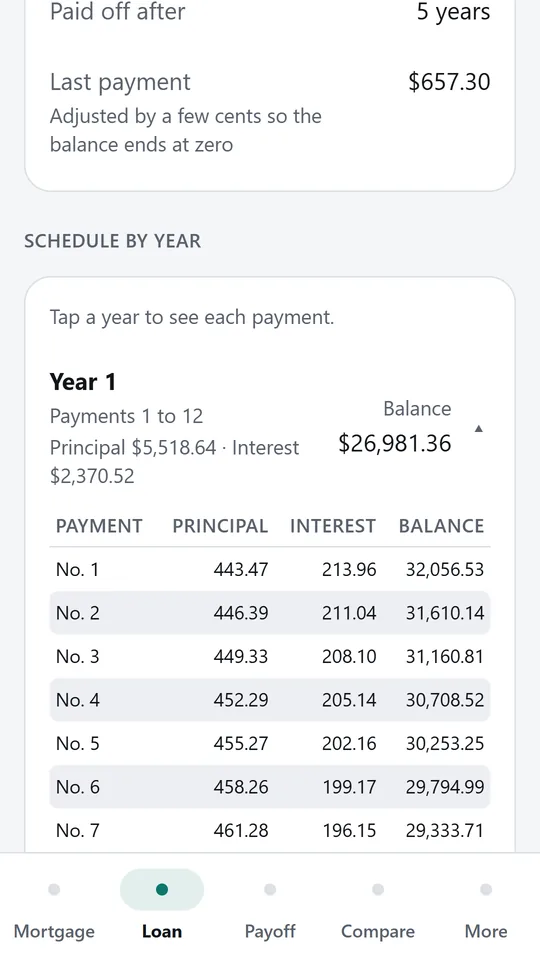
The schedule shows how much principal and interest you pay each year and the balance left. Tap a year to see each payment. The last payment is adjusted by a few cents so the balance ends at exactly zero.
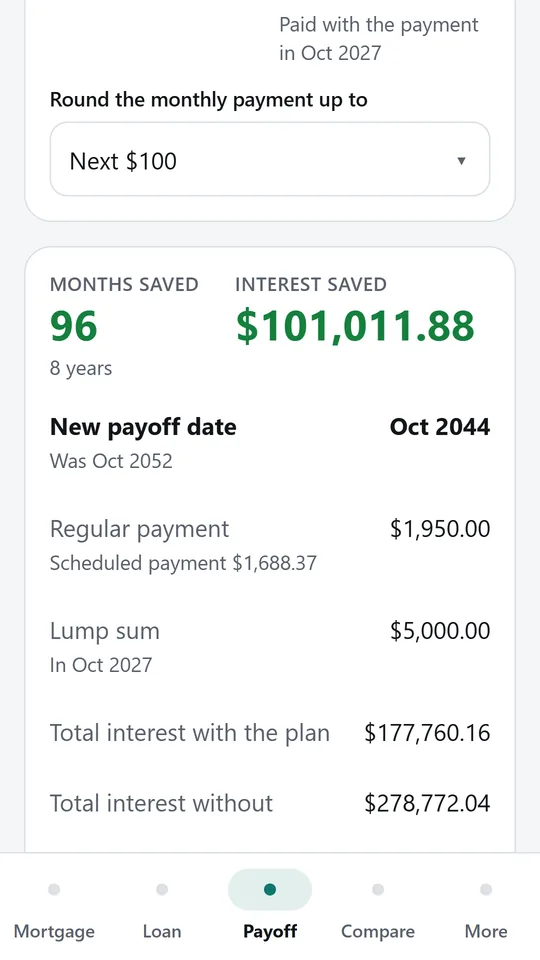
Pay extra each month, add a one time lump sum, round your payment up, or mix all three. You see the months and interest saved and the new payoff date. In the example, the loan ends 8 years sooner.
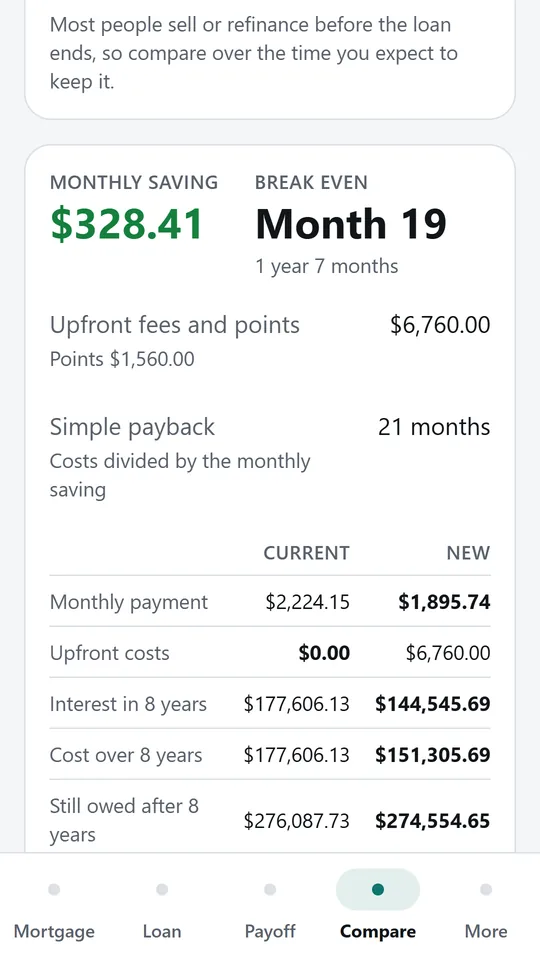
Enter your current loan and the new one with its rate, fees and points. You see the monthly saving, the break even month and the total cost over the years you expect to keep it. In the example, break even comes in month 19.
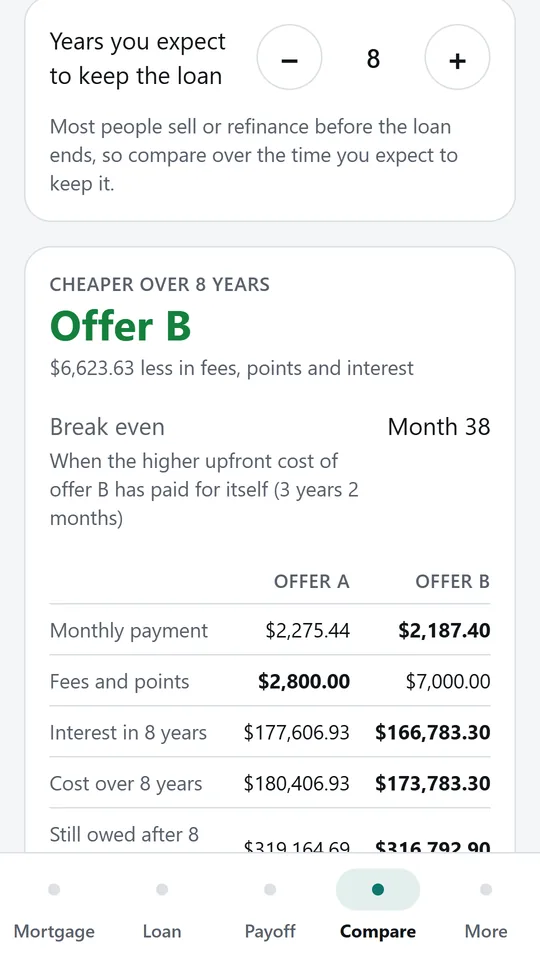
Put two offers next to each other with their rates, fees and points, and set how many years you expect to keep the loan. The app shows which one costs less over that time and when the pricier upfront offer pays for itself.
Try it now
This is the real app running in your browser, with nothing to install. Tap around, type your own numbers and see what you get. What you enter stays in this browser.
Reminders work only in the phone app.
What it does
Enter the home price, down payment as an amount or a percent, interest rate, term and first payment month. Add property tax, home insurance, HOA dues and PMI. You get the full monthly payment split into principal and interest, tax, insurance, HOA and PMI, shown as a simple bar, plus total interest and the payoff date.
PMI is charged as a yearly percent of the loan and stops automatically at the payment that brings the scheduled balance to 78 percent of the original price, following the US rule the CFPB explains. The app shows the exact month PMI ends and what it costs in total. Switch PMI off with one tap.
Name the most you want to pay each month and see the highest home price that fits, with the same rate, term, down payment, tax, insurance and HOA.
Car loans, personal loans, student loans and business loans. Pay monthly, biweekly or weekly, with the term in years or months. See the payment, total interest and the full amortization schedule by year. Tap any year to see each payment. For biweekly and weekly loans the app also shows the accelerated option, half the monthly payment every two weeks, and how many years it takes off.
Pay extra every month, make a one time lump sum in the month you choose, or round your payment up to the next 50 or 100. Mix all three. See the months saved, the interest saved, the new payoff date, and your balance year by year before and after.
Compare your current loan with a refinance, or two loan offers side by side, with rate, term, fees and points. See the monthly saving, the break even month, and the total cost over the number of years you expect to keep the loan. An estimated APR shows what fees and points really add.
Name and save any calculation and open it again later from More.
Pick from 20 currency symbols, including dollars, euros, pounds, rupees and dirhams.
The standard amortization formula, every payment rounded to the cent, and a last payment that brings the balance to exactly zero. The method and sources are listed in the app. Results are estimates for planning, not an offer or financial advice. Lenders round and charge fees differently.
Funded by a few ads that stay out of your way.
No account and no signal needed.
What you enter stays on your phone.
Install the Android test build now, or join our testers to get it from Google Play and help it launch.
Build details: expo.dev/accounts/asifejazai/projects/loan/builds/3dd4945d-ed76-4f16-931e-95f451667fb2 · Become a tester · Privacy policy
Contact
Found a problem, want a feature, or want a version of this app for your business? Write to us.
No newsletter and no selling of your details. Read how we handle messages in the contact privacy note.