Invoices
Free invoice and estimate maker. PDF invoices and receipts, offline, no account.
Test build for Android. Google Play release after testing; until then ads are Google test ads.
Free invoice and estimate maker. PDF invoices and receipts, offline, no account.
Test build for Android. Google Play release after testing; until then ads are Google test ads.
Make professional invoices, estimates and receipts on your phone and send them as PDF. Free, with no account, no subscription and no sign up.
How it works
Real screens from the app, filled with example data.
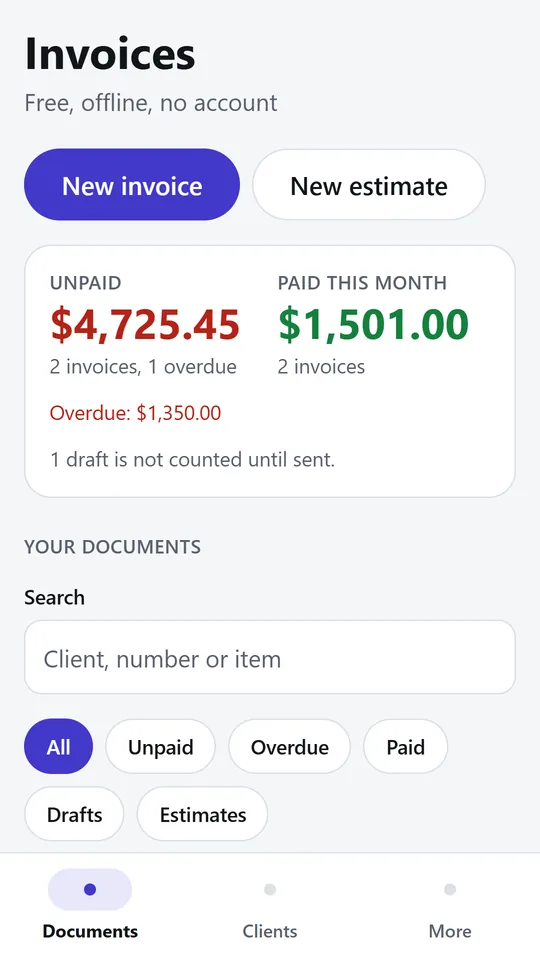
Start a new invoice or estimate, and turn an accepted estimate into an invoice with one tap. The top card shows what is unpaid, what is overdue and what came in this month. In the example, $4,725.45 is still unpaid.
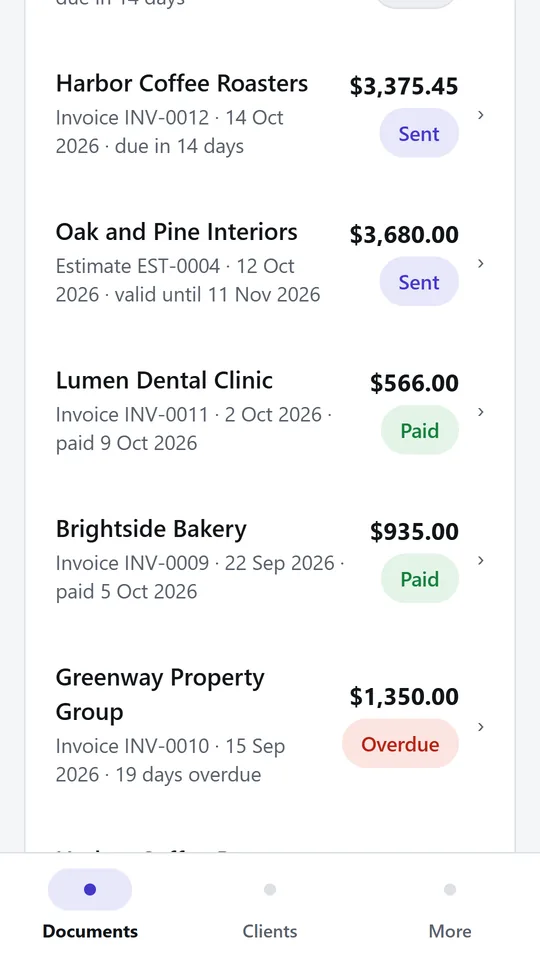
Every invoice and estimate shows its client, amount and status: draft, sent, paid or overdue. Search by client, number or item, or filter by status to find the ones to chase. In the example, one invoice is 19 days overdue.
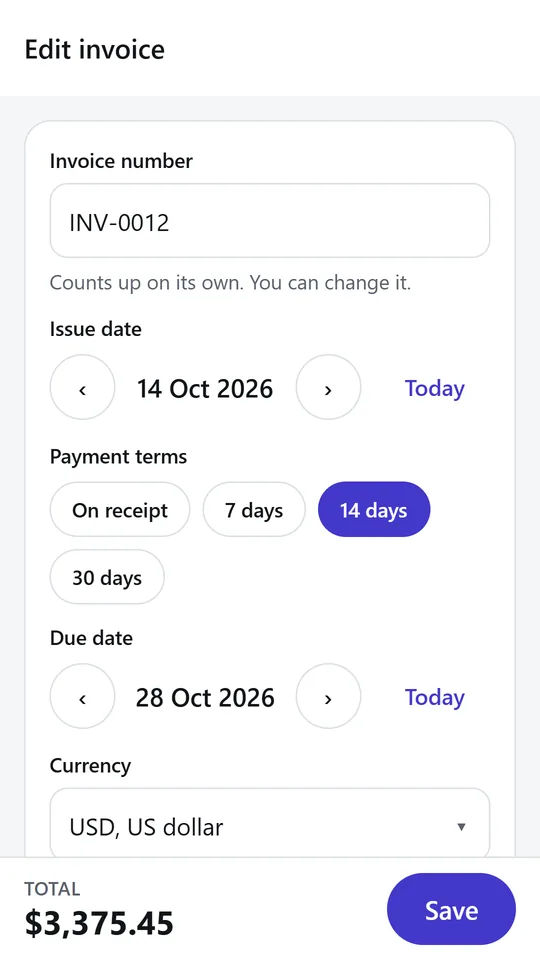
Invoice numbers count up on their own, and you can change them. Pick payment terms of on receipt, 7, 14 or 30 days and the due date is set for you. Choose the currency for each invoice.
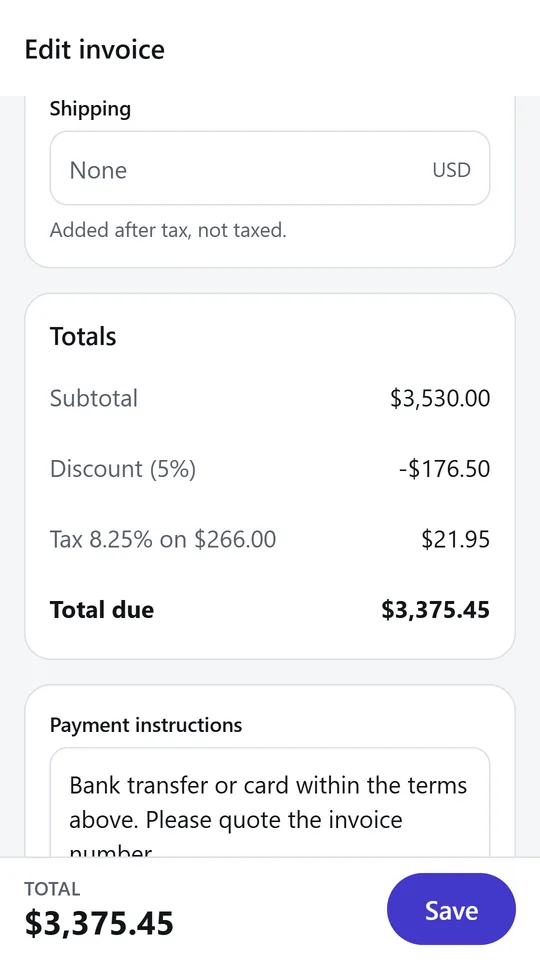
Add items with quantity, price and a tax rate per line, then a discount and shipping if you need them. The totals update as you type. In the example, a 5% discount and 8.25% tax on one item bring the total to $3,375.45.
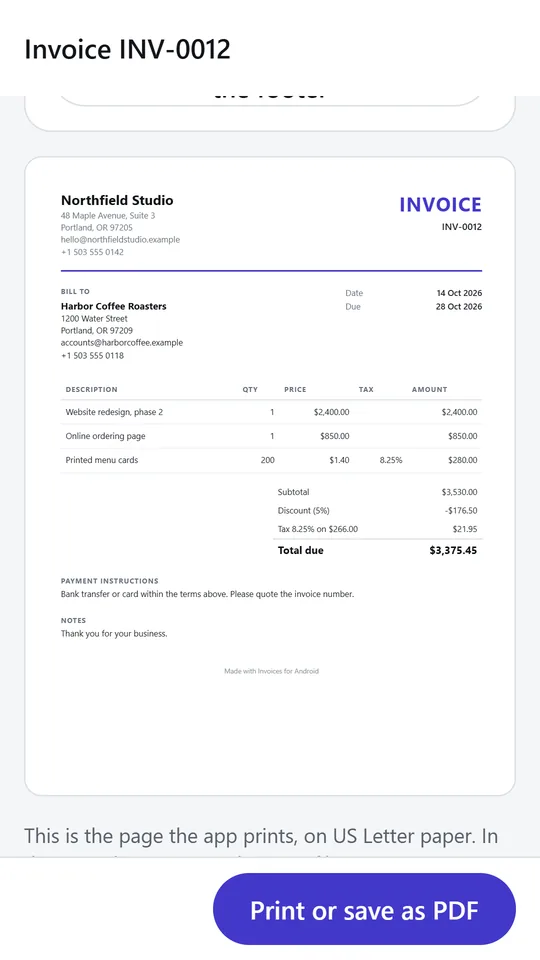
Preview the page exactly as it prints, with your business details, the client, items, tax and payment instructions. Print it or save it as a PDF and share it by email, chat or any app.
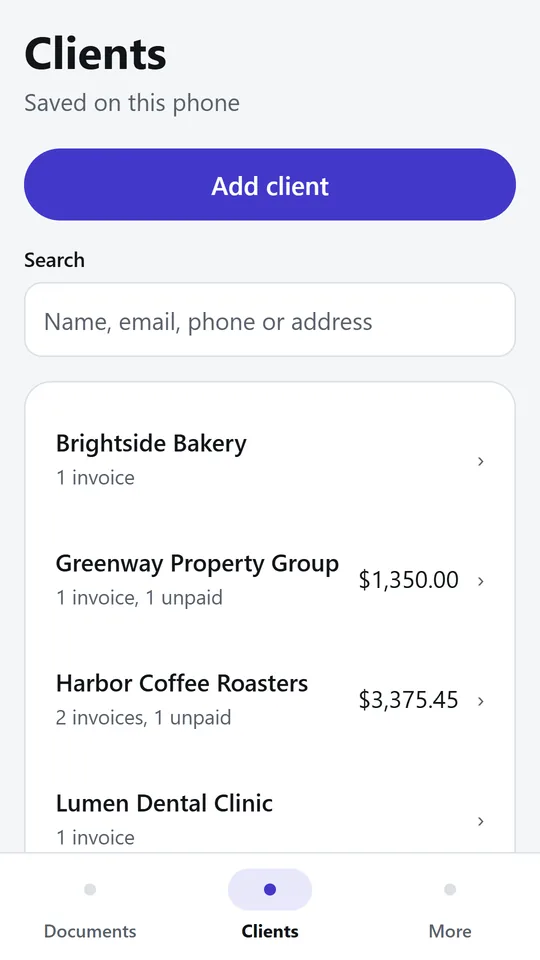
Save clients with email, phone, address and tax number, then pick them when you make an invoice. Each client shows how many invoices they have and how much is still unpaid.
Try it now
This is the real app running in your browser, with nothing to install. Tap around, type your own numbers and see what you get. What you enter stays in this browser.
Sharing a PDF works best in the phone app.
What it does
Add your business once. Pick a saved client or type a new one. Add items with quantity, unit price and an optional tax rate per line. The totals update as you type.
Send an estimate first. When the client says yes, convert the estimate into an invoice with one tap. The items, client and notes carry over.
Mark an invoice as paid with the payment date, then share it as a paid invoice or as a receipt with a zero balance.
Payment terms of due on receipt, 7, 14 or 30 days set the due date for you. The Documents list shows each invoice as draft, sent, paid or overdue, with your unpaid total and what came in this month. Search by client, number or item, and filter by status.
Charge sales tax, VAT or GST with a rate on each line, even rates like 8.875 percent. Give a discount as a percent or an amount, before or after tax. Add shipping. Every amount is counted in whole cents, so the totals add up exactly.
40 currencies, including dollars, euros, pounds, rupees, dirhams and riyals, plus currencies without cents such as yen and won, and three decimal currencies such as the Kuwaiti dinar.
A simple layout on A4 or US Letter paper with your business details, the client, the items, the tax summary, payment instructions and notes. Print it or share it.
Saved clients with email, phone, address and tax number. See how many invoices each client has and how much they still owe.
Invoice and estimate numbers count up on their own with a prefix you choose, such as INV or 2026, and you can type your own.
Funded by a few ads that stay out of your way.
No account and no signal needed.
What you enter stays on your phone.
Install the Android test build now, or join our testers to get it from Google Play and help it launch.
Build details: expo.dev/accounts/asifejazai/projects/invoice/builds/1cf8bbc3-408e-48ab-9407-dcad023e956c · Become a tester · Privacy policy
Contact
Found a problem, want a feature, or want a version of this app for your business? Write to us.
No newsletter and no selling of your details. Read how we handle messages in the contact privacy note.