
Home Evidence Vault
Early accessUS, UK and EuropePro tool
Room by room home inventory with photos, serials, receipts and a claim PDF.
Early access. The app works in your browser today; the Android app follows when enough people ask for it.
Room by room home inventory with photos, serials, receipts and a claim PDF.
Early access. The app works in your browser today; the Android app follows when enough people ask for it.
Home Evidence Vault helps you record what you own before you ever need to claim. Walk through your home room by room, photograph each thing, add its value, purchase date, serial number and receipt, and keep a clean insurance inventory PDF ready to share. Everything stays on your phone.
How it works
Real screens from the app, filled with example data.
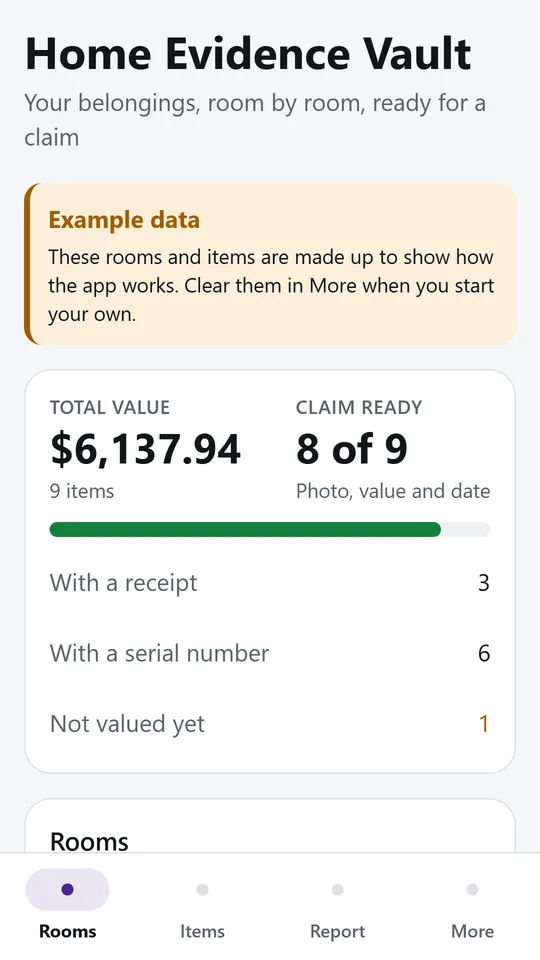
The first screen adds up the values you entered and shows how many items are ready for a claim. In the example, 9 items come to $6,137.94 and 8 of 9 are claim ready.
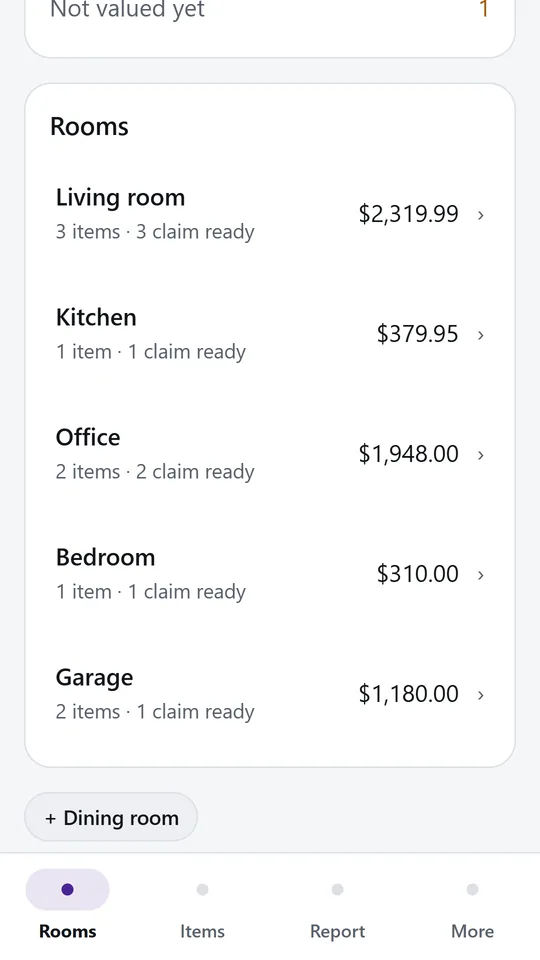
Every room shows its number of items and their total value. Tap a room to see what is in it, or add a new room with one tap.
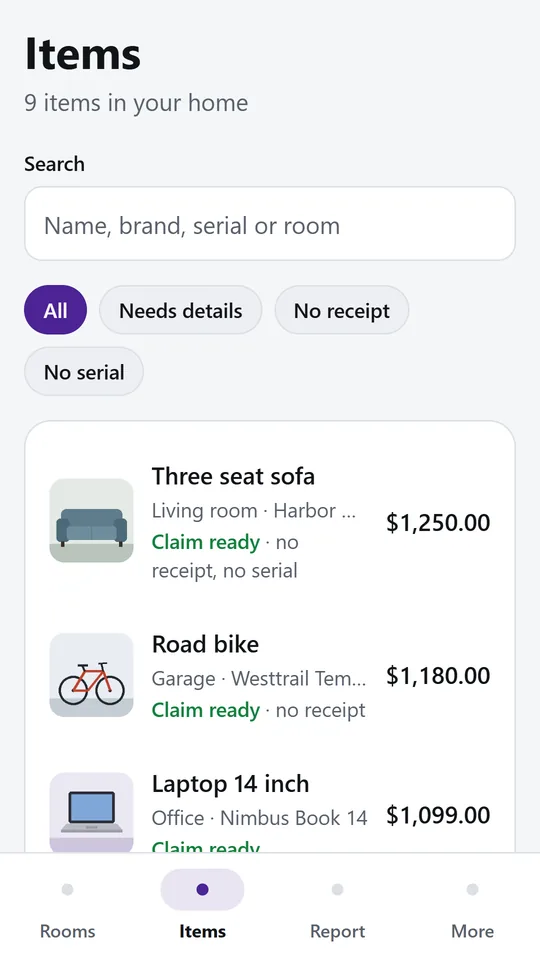
Search by name, brand, serial number or room. Filters show the items that still need details, a receipt or a serial number.
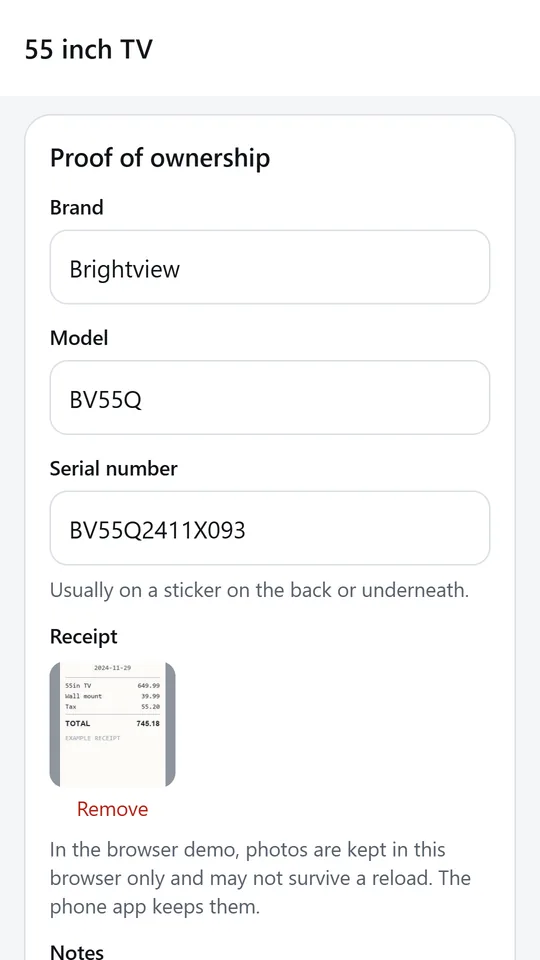
Store the brand, model, serial number and a photo of the receipt next to the item's own photos. In the example, the TV has serial BV55Q2411X093 and its receipt.
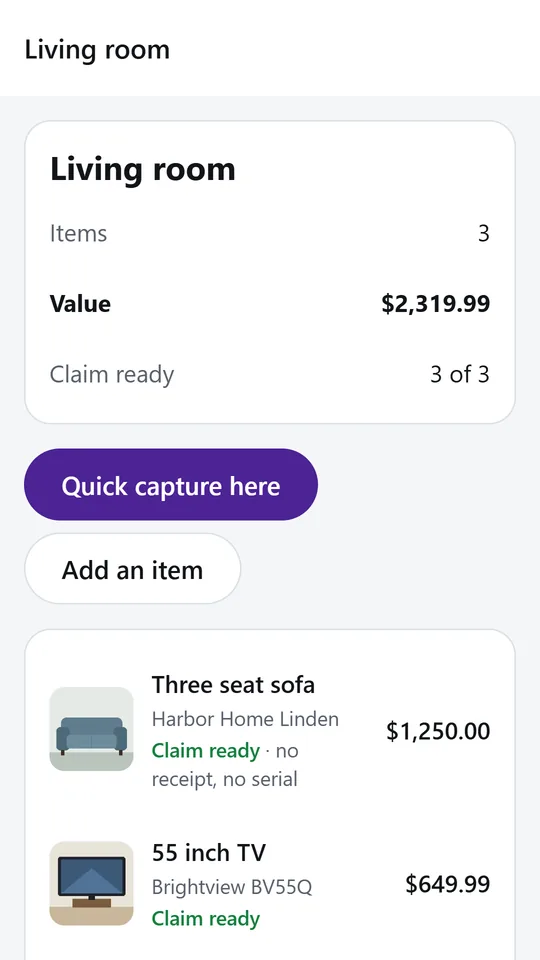
Quick capture turns each photo into an item, so you can walk through a room and fill in names and values later. In the example, the living room holds 3 items worth $2,319.99.
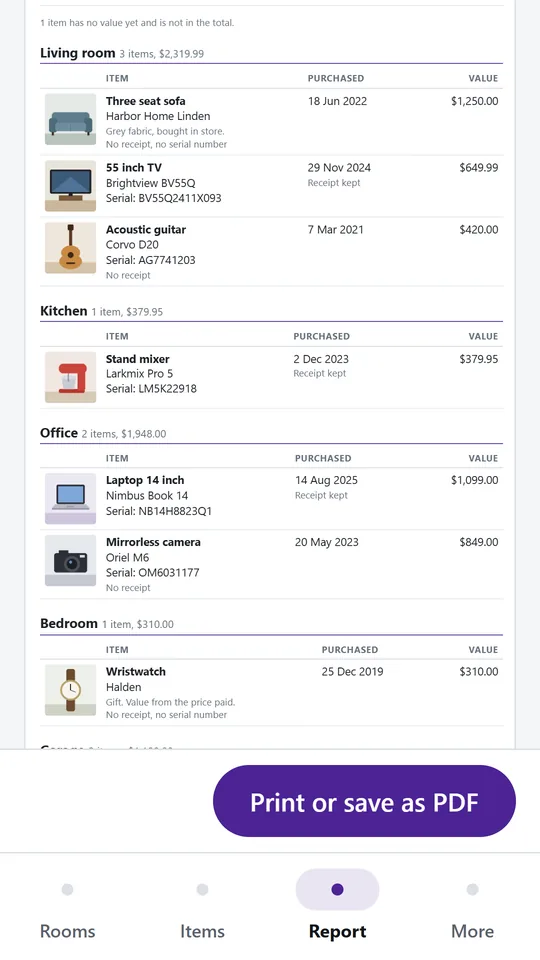
The report lists every room and item with its photo, serial number, purchase date and value. Print it or save it as a PDF and keep a copy outside your home.
Try it now
This is the real app running in your browser, with nothing to install. Tap around, type your own numbers and see what you get. What you enter stays in this browser.
Reminders work only in the phone app.
What it does
Add the rooms of your home with one tap and see the number of items and the total value in each. Deleting a room never deletes its items; they wait under No room until you move them.
Open a room and take one photo per thing. Each photo becomes an item straight away, so you can cover a whole room in minutes and add names and values later.
Keep several photos, the brand, model and serial number, the purchase date, the receipt and your own notes. The app shows which items are claim ready, meaning they have a photo, a value and a purchase date, and which still miss a receipt or a serial number.
Search by name, brand, serial number or room, or filter the items that still need details, have no receipt or have no serial number.
Make one PDF with your name, address, insurer and policy number, a summary by room and a line for every item with its photo, serial number, purchase date and value. Choose US Letter or A4 and share it with your insurer, your adjuster or your own cloud folder.
No account, no server and no upload. Your photos and records stay on this device, and a report leaves it only when you share it. The values are the ones you type; the app does not estimate what anything is worth.
Home Evidence Vault is free while we test it.
Made around one job, not a big business suite.
Use it on site, in the shop or on the road.
Everything stays on your device. No account.
Contact
Home Evidence Vault is in early access: the browser demo works today and the phone app follows when enough people ask for it. Tell us how you would use it and we will invite you first.
No newsletter and no selling of your details. Read how we handle messages in the contact privacy note.