
Home Care Rhythm
Early accessUS, UK and EuropePro tool
Pick what your home has and get a month by month maintenance plan and history.
Early access. The app works in your browser today; the Android app follows when enough people ask for it.
Pick what your home has and get a month by month maintenance plan and history.
Early access. The app works in your browser today; the Android app follows when enough people ask for it.
Home Care Rhythm turns the things your home has into a simple maintenance plan by month. Pick your heating, alarms, gutters, water heater and more, see what is due this month, mark it done with the date and cost, and keep a history you can look back on. No account and no sign in.
How it works
Real screens from the app, filled with example data.
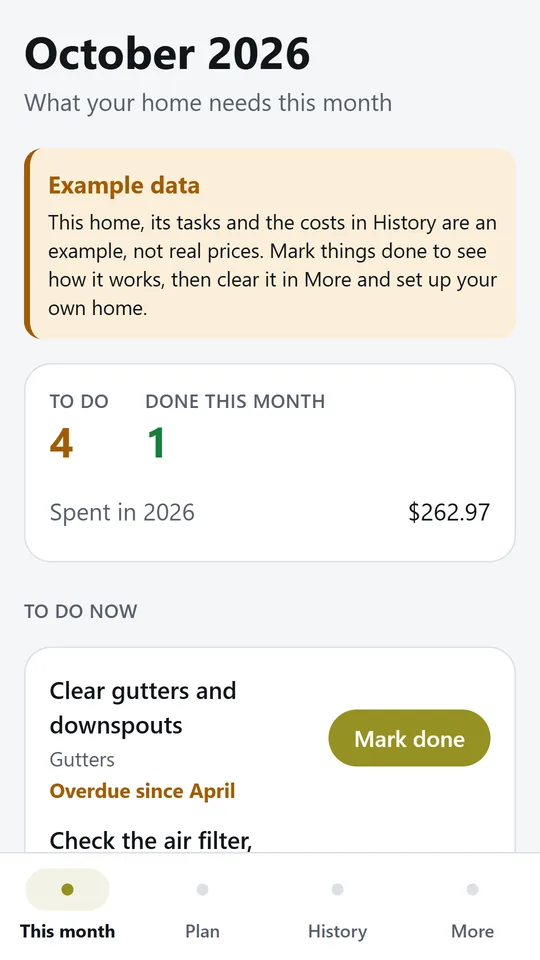
This month lists what is due, with anything missed from earlier months at the top. In the example, 4 tasks are to do, starting with gutters that are overdue since April.
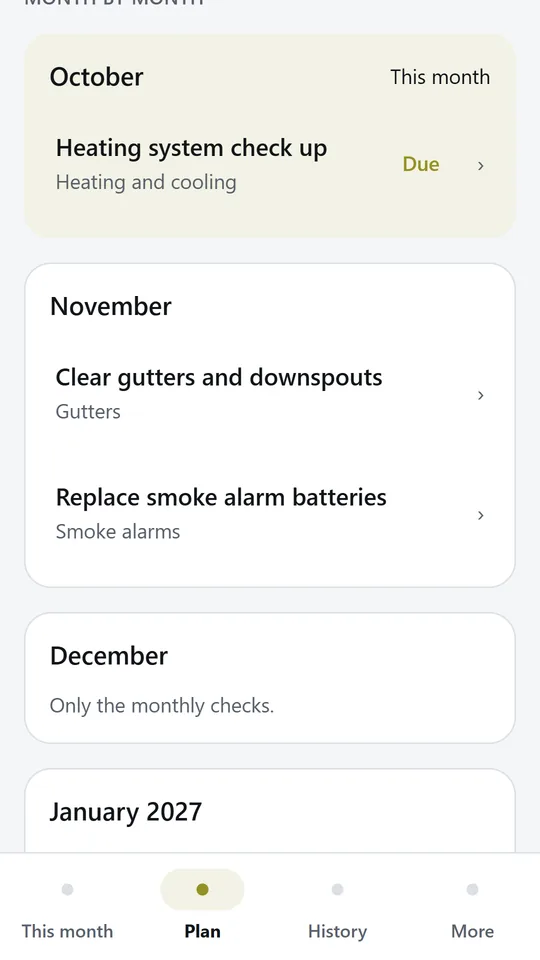
The plan shows the next twelve months, with monthly checks kept apart so the seasonal jobs stand out. Tap any task to change its months.
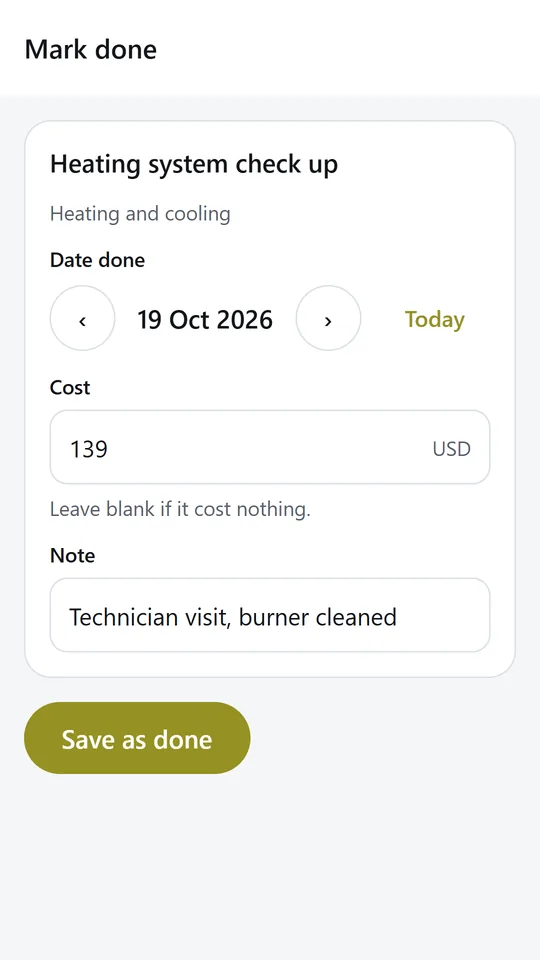
Keep today's date or pick another, add what it cost and a short note. In the example, the heating check up is recorded at 139 USD.
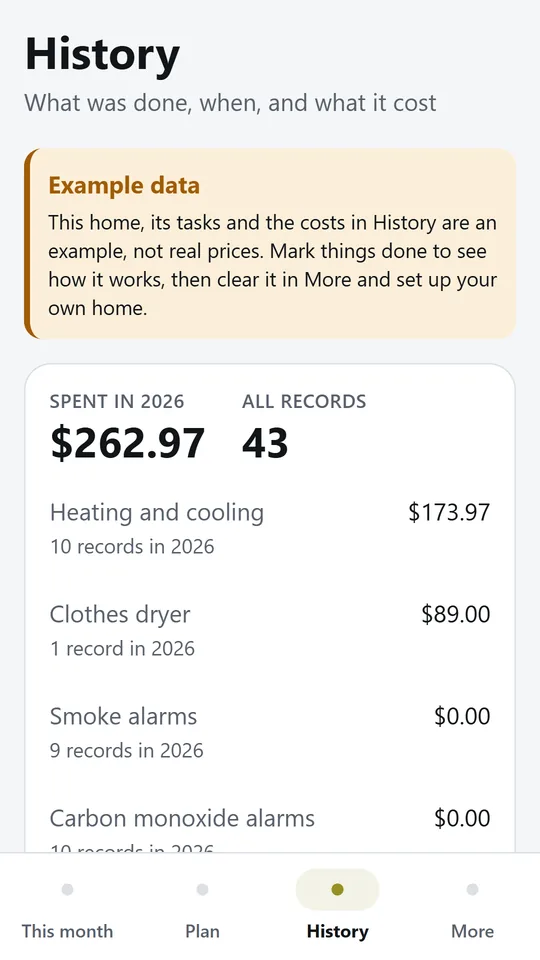
History keeps every record with its date, cost and note, and adds up the year by feature. In the example, the year so far comes to $262.97.
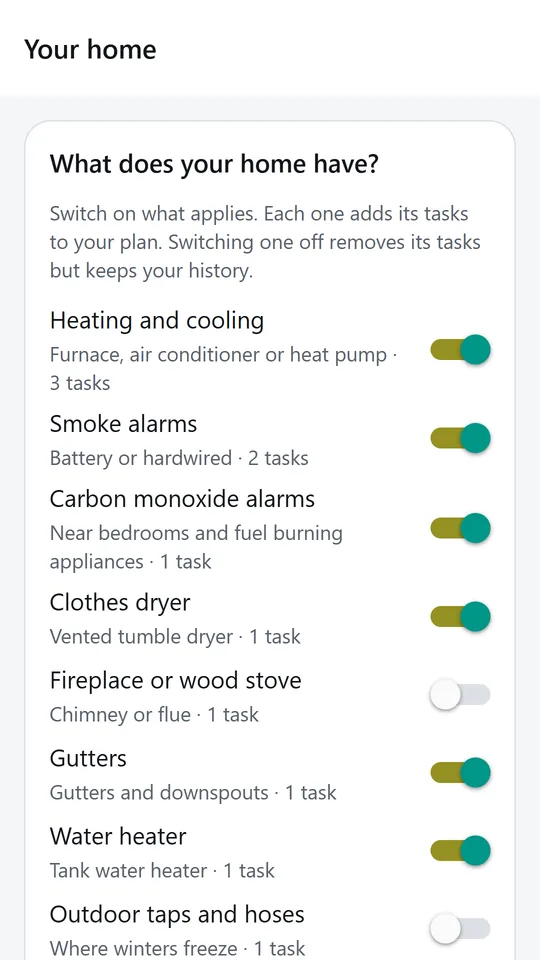
Switch on what your home has, such as heating, alarms, gutters or a water heater. Each one adds its tasks, and spring and fall jobs follow your hemisphere.
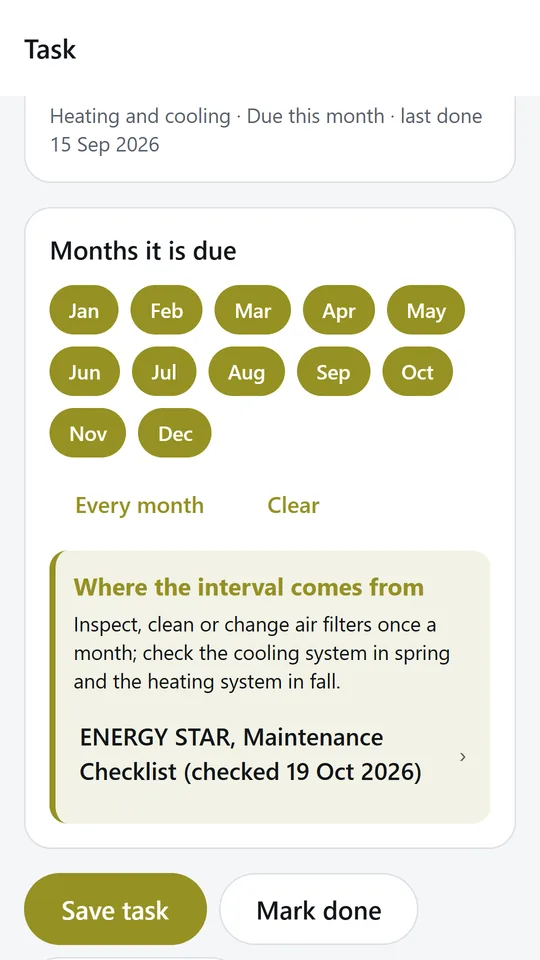
Each task shows where its interval comes from, such as ENERGY STAR or the U.S. Fire Administration. Timings without a source are marked as suggestions for you to set.
Try it now
This is the real app running in your browser, with nothing to install. Tap around, type your own numbers and see what you get. What you enter stays in this browser.
Reminders work only in the phone app.
What it does
Switch on the features your home has, such as heating and cooling, smoke alarms, carbon monoxide alarms, a clothes dryer, a fireplace, gutters or a water heater. Each one adds its tasks to your plan.
One list of what needs doing now, with anything overdue from earlier months at the top. Tap Mark done, keep today's date or pick another, and add the cost.
See the next twelve months at a glance, with monthly checks kept apart so the seasonal jobs stand out. Change the months of any task, or add your own.
Air filter checks and heating and cooling check ups follow ENERGY STAR. Alarm tests, alarm batteries, dryer vents and chimneys follow the U.S. Fire Administration. Anything without a source is clearly marked as a suggestion.
Every record keeps the date, the cost and a note. See what you spent this year in total and by feature, and edit or delete a record if you need to.
Choose your hemisphere and the spring and fall jobs move to the right months.
Your home, plan and history are stored only on this device. Try the example home first, then clear it in one tap.
Made around one job, not a big business suite.
Use it on site, in the shop or on the road.
Everything stays on your device. No account.
Contact
Home Care Rhythm is in early access: the browser demo works today and the phone app follows when enough people ask for it. Tell us how you would use it and we will invite you first.
No newsletter and no selling of your details. Read how we handle messages in the contact privacy note.