
FieldProof
Early accessUS, UK and EuropePro tool
Before and after job photos turned into a branded PDF report for your client.
Early access. The app works in your browser today; the Android app follows when enough people ask for it.
Before and after job photos turned into a branded PDF report for your client.
Early access. The app works in your browser today; the Android app follows when enough people ask for it.
FieldProof is a simple job photo app for solo roofers, plumbers, electricians, cleaners and handymen. Take a before photo when you arrive and an after photo when you finish, and the app lays them side by side in a clean report with your business name on top. Send it as a PDF before you leave the driveway.
How it works
Real screens from the app, filled with example data.
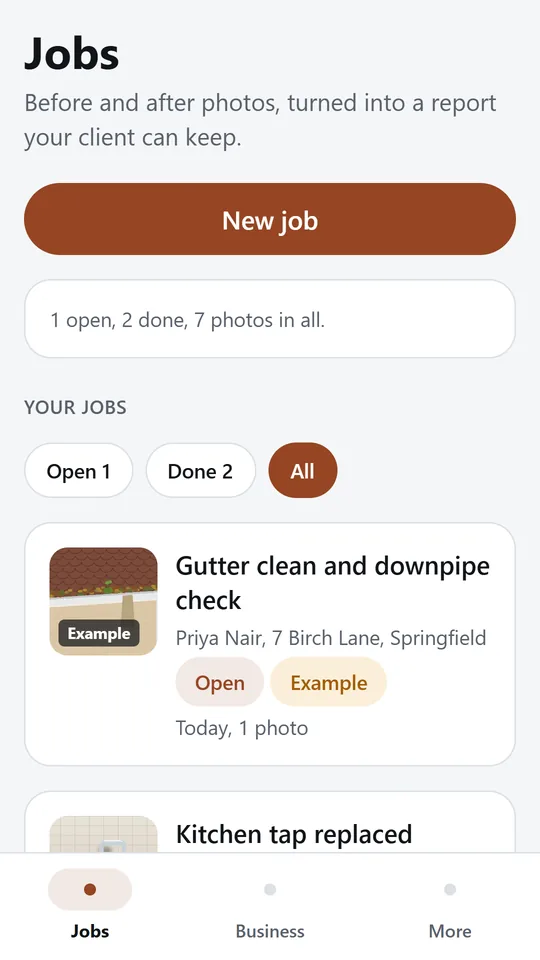
Each job shows the client, the address, its status and how many photos it has. Filter open and finished jobs. In the example, 1 job is open and 2 are done.
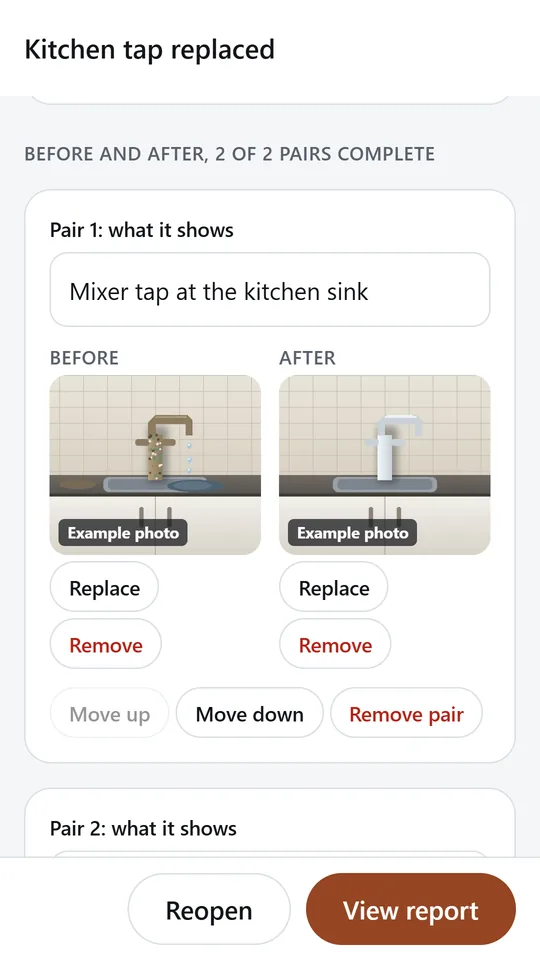
Add a pair for each spot you work on and give it a caption. Take the before photo when you arrive and the after photo when you finish, from the camera or your gallery.
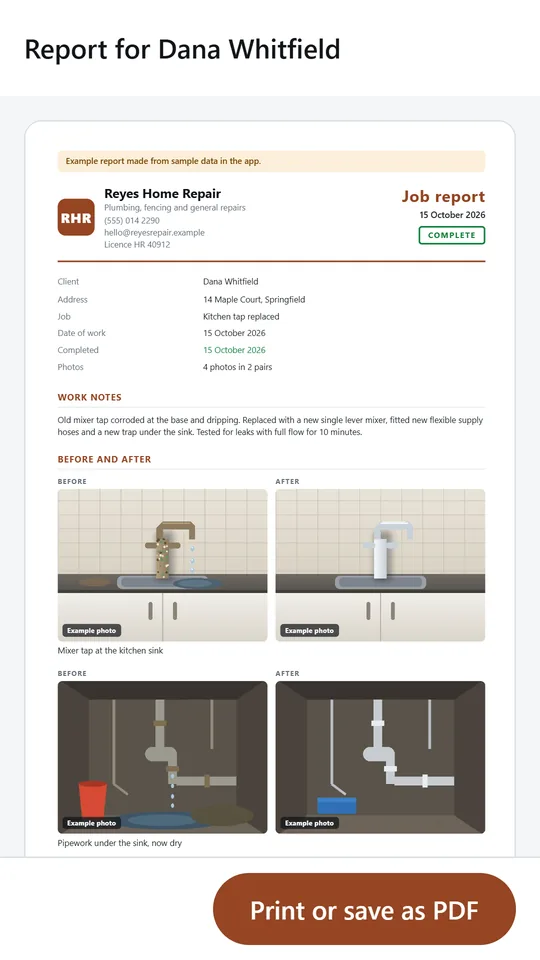
The report puts your logo letters, business name and contact details at the top, then the job details, your notes and each photo pair side by side. Share it as a PDF.
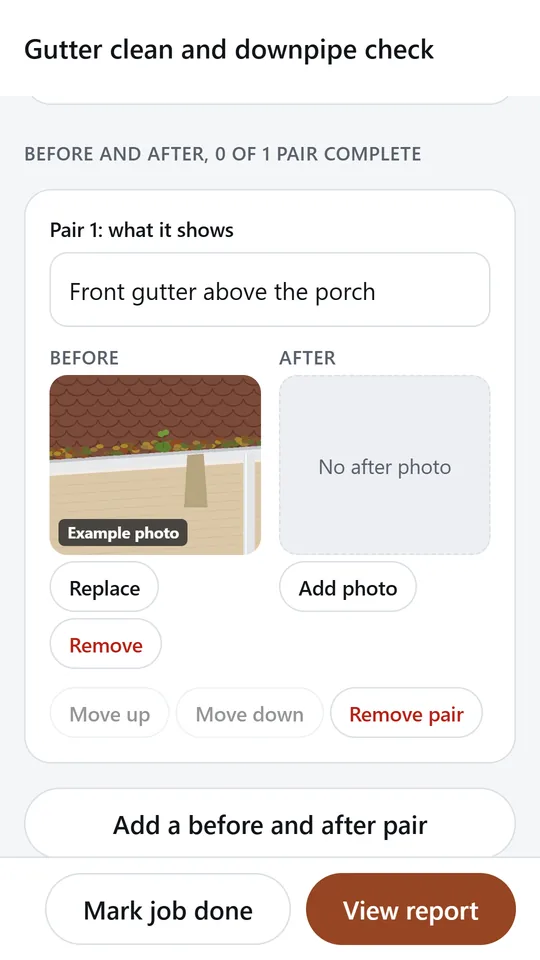
An open job shows each pair that still needs its after photo, so nothing is forgotten before you leave. Mark the job done when the work is finished.
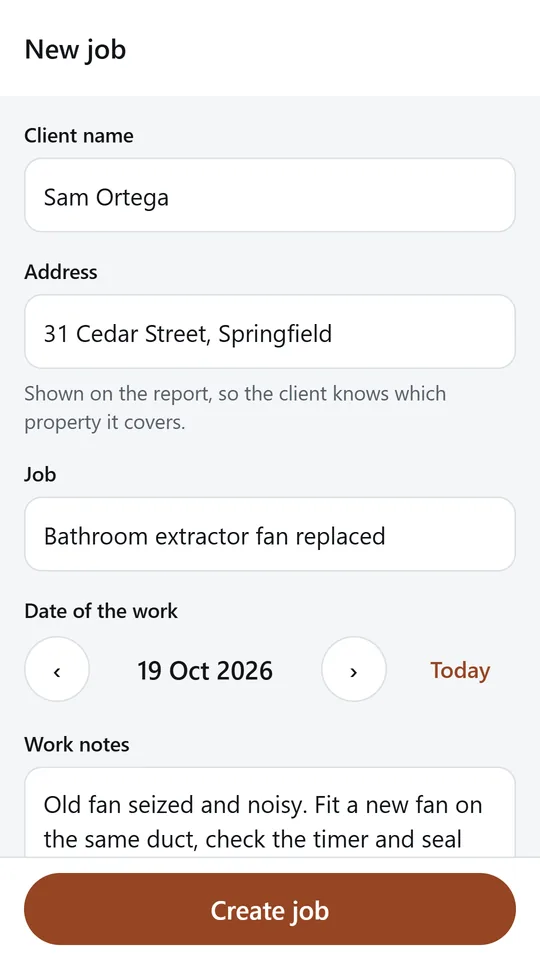
Type the client name, the address, what the job is and your work notes. The date of the work defaults to today. No account and no setup.
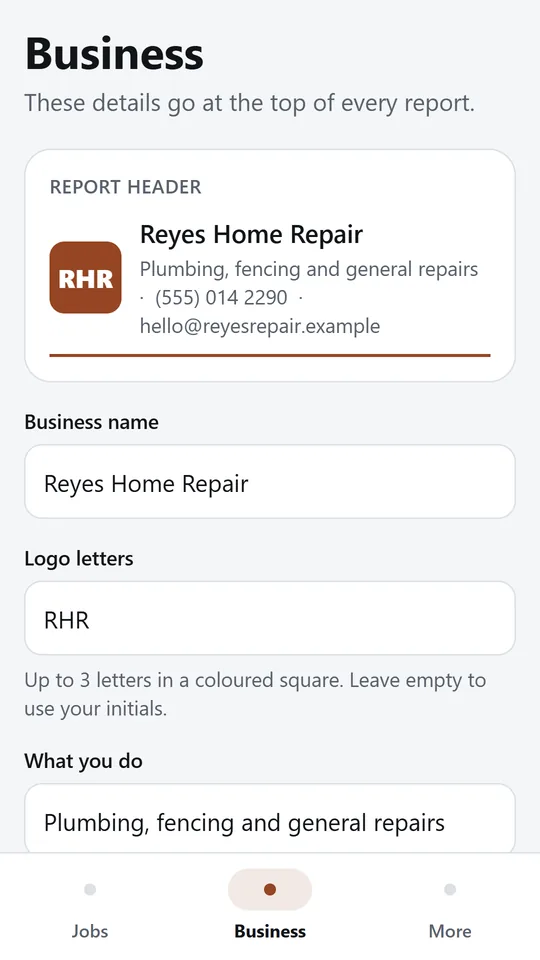
Add your business name, logo letters, what you do, phone, email and licence number. Pick a report colour and paper size, and every report uses them.
Try it now
This is the real app running in your browser, with nothing to install. Tap around, type your own numbers and see what you get. What you enter stays in this browser.
Reminders work only in the phone app.
What it does
Add a pair for each spot you work on and give it a short caption. Take the before photo with the camera or pick it from your gallery, then add the after photo when the work is done. The app shows which pairs still need an after photo.
Each report shows the client, the address, the date of the work, your notes and every photo pair in order, with a Complete stamp once you mark the job done. Share it as a PDF by email, text or any messaging app.
Add your business name, up to three logo letters, what you do, your phone, email and licence number. Pick a report colour and US Letter or A4 paper, and add your own closing line.
No team setup, no CRM and no sign in. Open the app, start a job with the client name and address, and you are taking photos in seconds.
Jobs and photos stay on your phone. Nothing is uploaded anywhere. A photo leaves the phone only inside a report you choose to share.
FieldProof is free while we test it with real tradespeople. Tell us what would make it worth paying for.
Made around one job, not a big business suite.
Use it on site, in the shop or on the road.
Everything stays on your device. No account.
Contact
FieldProof is in early access: the browser demo works today and the phone app follows when enough people ask for it. Tell us how you would use it and we will invite you first.
No newsletter and no selling of your details. Read how we handle messages in the contact privacy note.