
CleanHome Rhythm
Early accessUS, UK and EuropeFree app
A room by room cleaning list that shows what is due today. Simple and offline.
Early access. The app works in your browser today; the Android app follows when enough people ask for it.
A room by room cleaning list that shows what is due today. Simple and offline.
Early access. The app works in your browser today; the Android app follows when enough people ask for it.
CleanHome keeps a simple cleaning list for each room of your home and shows what is due today, most overdue first. Tick a task off when it is done and it comes back when its rhythm says so. No account, no sign in, and it works offline.
How it works
Real screens from the app, filled with example data.
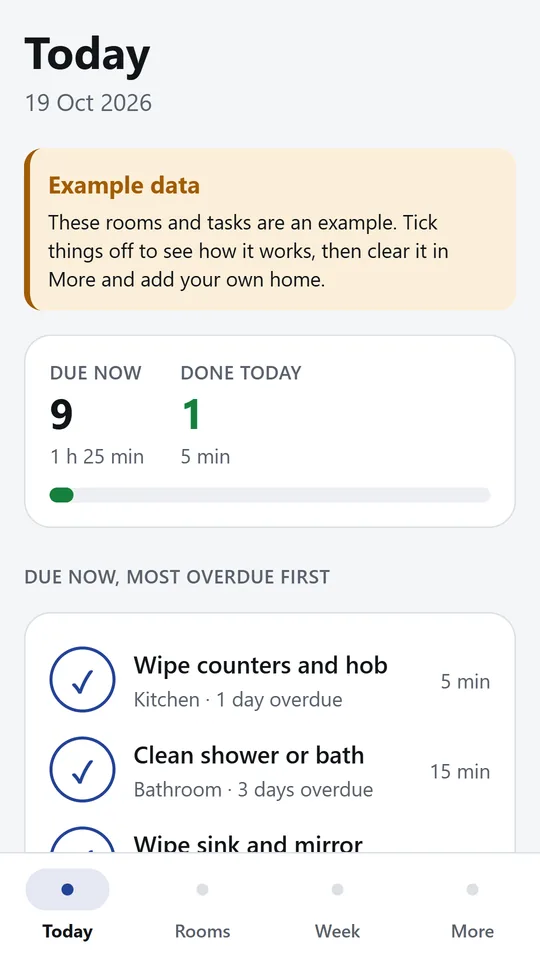
Today lists every task that is due, most overdue first for its own rhythm. Tap the big tick when a job is done. In the example, 9 tasks are due, about 1 h 25 min of work.
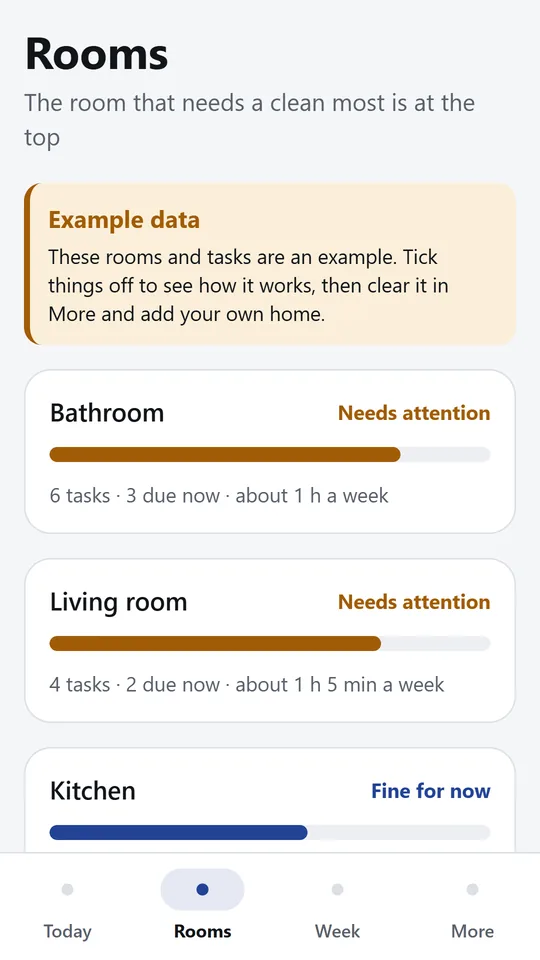
Each room has a bar that fills as its tasks come due, weighted by how long each one takes. The room that needs a clean most sits at the top.
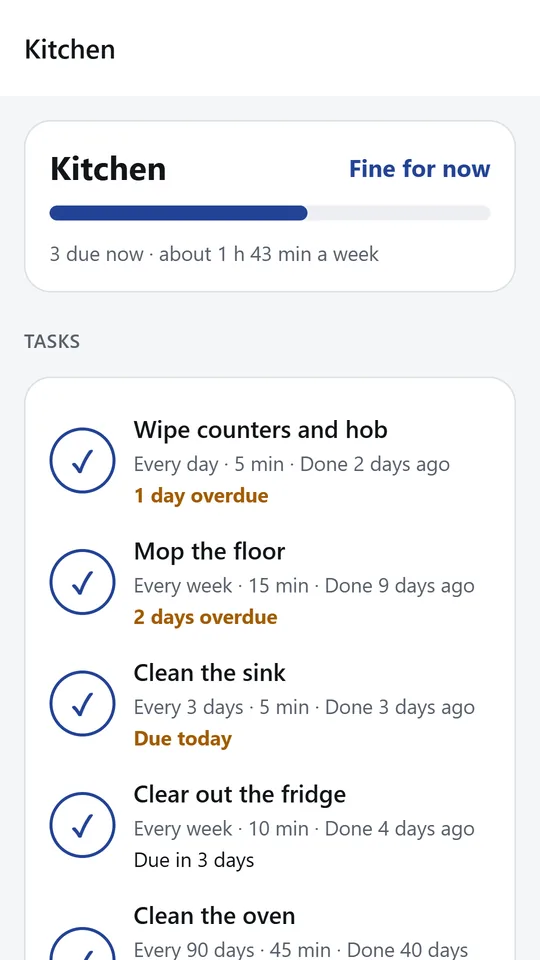
Open a room to see each task with how often it repeats, how long it takes and when you last did it. Tick it off here too, or tap a task to change it.
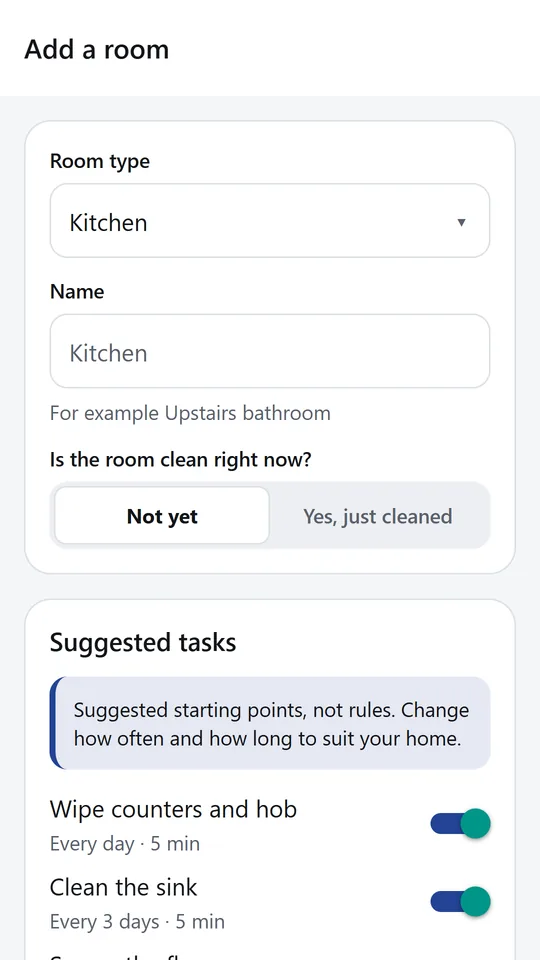
Pick a room type and CleanHome suggests common tasks with a starting rhythm and time. Keep the ones you want and switch off the rest.
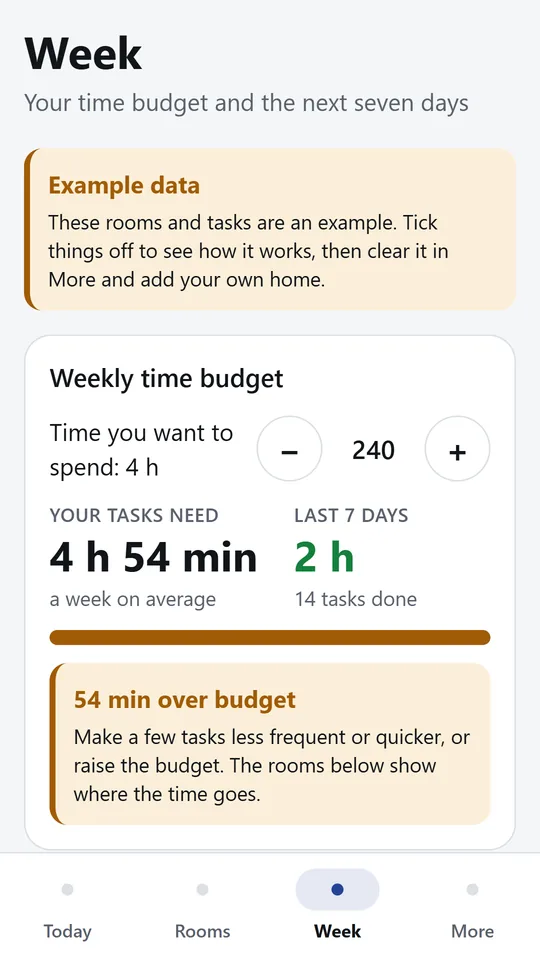
Set the time you want to spend each week and see what your tasks ask for on average. In the example, the tasks need 4 h 54 min against a 4 h budget.
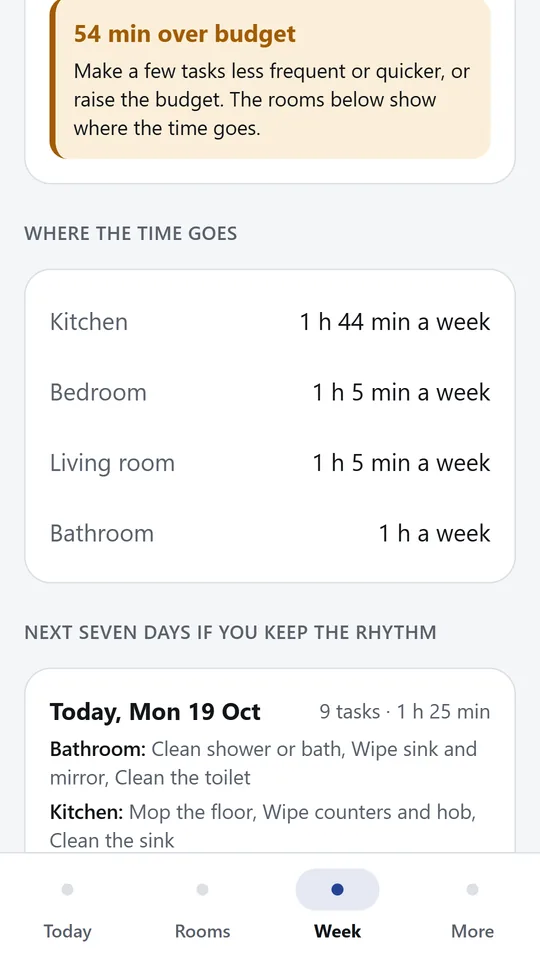
See where the time goes room by room. Below that is what falls due on each of the next seven days if you keep the rhythm, so you can pick a cleaning day.
Try it now
This is the real app running in your browser, with nothing to install. Tap around, type your own numbers and see what you get. What you enter stays in this browser.
Reminders work only in the phone app.
What it does
One list of everything due now, ordered by how late each task is for its own rhythm. A daily wipe two days late comes before a monthly job two days late. Tap the big tick when you finish, and undo it if you tapped by mistake.
Add the kitchen, bathroom, bedrooms and any other room. Each task has how often it repeats, from every day to every 180 days, and how long it takes.
Pick a room type and CleanHome suggests common tasks with a starting rhythm and time. Keep the ones you want, switch off the rest and change any of them later.
Every room has a bar that fills as its tasks get closer to due, weighted by how long each one takes. The room that needs a clean most sits at the top.
Set how much time you want to spend each week. CleanHome adds up what your tasks ask for on average, tells you how far over or under you are and shows where the time goes room by room.
See what falls due on each of the next seven days if you keep the rhythm, with the minutes for each day, so you can pick a cleaning day that fits.
Rooms, tasks and ticks are stored only on this device. There is an example home to try first, and you can clear everything in one tap.
Use it in your browser now, no account.
The phone app needs no signal.
What you enter stays on your device.
Contact
CleanHome Rhythm is in early access: the browser demo works today and the phone app follows when enough people ask for it. Tell us how you would use it and we will invite you first.
No newsletter and no selling of your details. Read how we handle messages in the contact privacy note.